Seedance 2.5 is now available on imageat, bringing longer clips, native audio, first-and-last-frame transitions, and high-capacity multimodal reference control into one AI video workflow.
The model can generate videos from text or a starting image at 480p or 720p. Clips can run from 4 to 30 seconds, and Omni Reference mode can combine images, video clips, and audio files to guide a single generation. That makes Seedance 2.5 useful for much more than quick prompt experiments: it can support product films, social campaigns, storyboards, cinematic sequences, and reference-driven creative work.
You can start directly in the Seedance 2.5 Video Generator, or explore the full Seedance 2.5 guide before your first generation.

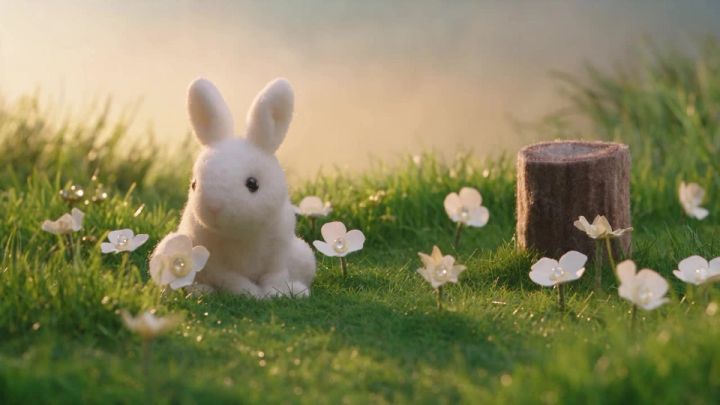
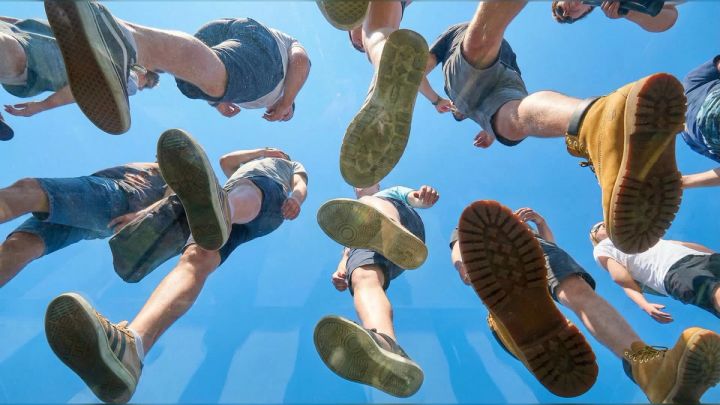
This frame comes from a four-second 480p text-to-video test generated with Seedance 2.5 on imageat.
What Is Seedance 2.5?
Seedance 2.5 is ByteDance’s newest AI video model available on imageat. It turns text prompts, images, first-and-last frames, or mixed media references into cinematic video with synchronized audio.
The current imageat implementation includes four creation modes:
- Text to video: Generate a new scene from a written prompt.
- Image to video: Animate a still image while preserving its subject, composition, lighting, and overall visual identity.
- First-last frame: Define the opening and closing images so the model can create a controlled transition between them.
- Omni Reference: Guide the video with multiple images, video clips, and audio files in the same generation.
Seedance 2.5 currently supports:
- 4–30 second clips
- 480p and 720p output
- Native audio generation
- 16:9, 9:16, 4:3, 3:4, 1:1, and 21:9 aspect ratios
- Up to 20 images, 6 video clips, and 6 audio files in Omni Reference mode
- JPG, PNG, and WebP starting images for image-to-video workflows
These controls make the model flexible enough for both fast concept testing and more structured, reference-led production.
What Is New Compared with Seedance 2.0?
Seedance 2.0 remains a capable option, especially when you want a budget-friendly Mini tier, reference-to-video workflows, or output up to 1080p. Seedance 2.5 takes a different direction by prioritizing longer clips and richer creative control.
The most important additions are:
Clips up to 30 seconds
Longer duration gives an idea room to develop. A product can move through a complete reveal, a character can perform a short sequence, or a camera can travel through more than one visual beat without forcing everything into a five-second shot.
Longer does not automatically mean better, however. A 30-second generation needs a prompt with clear timing and progression. If your concept contains only one small movement, a shorter duration will often produce a tighter result.
Dedicated first-and-last-frame control
First-last-frame mode is designed for transitions with a defined destination. Instead of asking the model to invent the final composition, you provide both endpoints.
This is useful for:
- Before-and-after transformations
- Product assembly or reveal shots
- Interior design transitions
- Day-to-night changes
- Outfit or material changes
- Storyboard-to-shot transitions
The two frames should share compatible composition, perspective, and subject placement. The more believable the path between them, the easier it is for the model to create smooth motion.
Omni Reference generation
Omni Reference mode can use up to 20 images, 6 video clips, and 6 audio files. Different references can communicate different parts of the result: identity, environment, texture, motion, camera behavior, rhythm, or mood.
This does not mean every project needs the maximum number of files. Start with the smallest useful reference set. Add more only when each file has a clear purpose.
Native audio in the same generation
Seedance 2.5 generates sound alongside the visuals. Ambient sound and effects can therefore follow the scene rather than being added as a disconnected afterthought.
Native audio is valuable for fast social concepts, mood pieces, product shots, and storyboards. Final commercial work may still need professional sound editing, licensed music, or a separate voice-over, but the generated audio provides a stronger first draft.
How to Use Seedance 2.5 on imageat
1. Choose the right generation mode
Use text-to-video when you want to create a scene from scratch. Use image-to-video when the starting composition or subject identity matters. Choose first-last-frame mode when the shot must arrive at a specific visual destination. Use Omni Reference when multiple visual, motion, or audio references need to influence the same output.
For a simpler photo-animation workflow, you can also explore the dedicated image-to-video AI generator.
2. Define one clear purpose for the clip
Before writing the prompt, decide what the video must accomplish. Is it a product reveal, a social hook, an establishing shot, a transformation, or a short narrative moment?
A focused idea is easier to direct than a list of unrelated actions. Even with a 30-second duration, build the clip around one central concept.
3. Write a structured prompt
A useful Seedance 2.5 prompt can follow this order:
Subject + action + environment + camera + lighting and style + timing + audio + constraints
For example:
A small yellow paper boat floats gently across a calm blue pond at sunrise. Soft ripples move outward as the camera slowly pushes in. Warm cinematic light reflects across the water, photorealistic detail, smooth natural motion. Quiet water sounds, a light morning breeze, and distant birds. Keep the boat centered and preserve its shape throughout the shot. No text or logos.
Concrete instructions are more useful than broad phrases such as “make it cinematic.” Name the camera movement, describe the subject’s action, and explain what the viewer should hear.
4. Select duration, resolution, and aspect ratio
Use 480p for lower-cost drafts and prompt testing. Move to 720p once the motion, composition, and audio direction are working.
Choose duration according to the action:
- 4–6 seconds: Loops, quick social hooks, simple camera moves, and single product shots
- 8–15 seconds: Product reveals, atmospheric scenes, character actions, and transitions
- 16–30 seconds: Multi-beat scenes, longer camera journeys, narrative sequences, and reference-heavy concepts
Select 9:16 for TikTok, Reels, and YouTube Shorts; 16:9 for YouTube, websites, and presentations; 1:1 for square social posts; or one of the additional 4:3, 3:4, and 21:9 formats when the composition requires it.
5. Generate and review the result
Review more than overall visual quality. Check:
- Subject and object consistency
- Hands, faces, edges, and fine details
- Camera movement and framing
- Background stability
- Physics and contact between objects
- Audio timing and unwanted sounds
- Whether the first and last frames match the requested progression
- Whether the composition leaves room for captions or graphics
If one element fails, change that part of the prompt rather than rewriting everything. Controlled iteration makes it easier to understand what improved the output.
Seedance 2.5 Prompt Examples
Product film
A premium silver wristwatch rests on dark volcanic stone. Fine mist drifts through the background while the watch rotates slowly toward the camera. Smooth clockwise orbit, controlled studio movement, crisp metallic reflections, dark luxury commercial lighting. Subtle mechanical ticking and distant low ambience. Preserve the watch shape and face layout. No added text, hands, or extra objects.
Vertical fashion clip
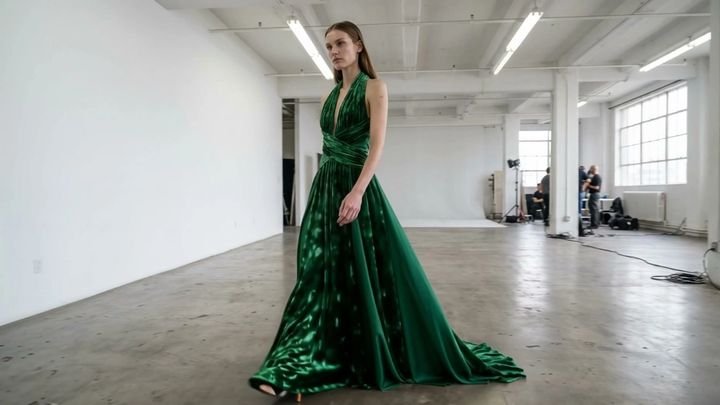
A model in a flowing emerald dress walks through a minimalist concrete gallery. The fabric moves naturally with each step as the camera tracks backward at waist height. Soft skylight, editorial fashion-film look, realistic skin and textile detail. Gentle footsteps and quiet room ambience. Vertical 9:16 composition, full body visible, no sudden cuts.
Image-to-video portrait
Preserve the person’s identity, clothing, hairstyle, and background. The subject blinks naturally, turns slightly toward the window, and gives a subtle relaxed smile. A light breeze moves only a few strands of hair. Very slow camera push-in, realistic skin texture, stable facial features, soft room tone and distant birds.
First-last-frame transformation
Begin with the empty studio in the first frame and transition smoothly into the furnished room shown in the last frame. Furniture appears in a logical sequence from back to front while the camera remains locked. Preserve the room geometry, windows, perspective, and daylight direction. Clean controlled motion, no floating debris, no sudden cuts.
30-second cinematic sequence
A lone traveler in a red jacket crosses a foggy mountain ridge at sunrise. Begin with a wide establishing shot, then track parallel as the traveler walks, and finish with a slow push toward the valley. Clouds roll below the ridge while wind moves the jacket naturally. Divide the action into three calm visual beats with seamless transitions. Soft golden light, realistic documentary style, distant wind and birds, no dialogue, no text.
Tips for Better Omni Reference Results
Omni Reference is powerful because it can combine several kinds of direction, but overloaded inputs can compete with one another. Use these principles:
- Give every reference a job. One image might define a person, another the location, a video the camera move, and an audio file the rhythm.
- Avoid contradictory references. Mixing incompatible lighting, camera direction, subject design, or visual styles can reduce consistency.
- Prioritize the prompt. Explain what should be borrowed from each reference instead of expecting the model to infer your intent.
- Start small. Test two or three essential references before building a larger set.
- Use clean source files. Sharp images, readable silhouettes, stable video, and clear audio make the intended signal easier to follow.
- Respect rights and consent. Use media you own or are authorized to use, especially when references include real people, voices, branded products, or copyrighted material.
How Much Does Seedance 2.5 Cost on imageat?
Seedance 2.5 is available to active Pro, Premium, and Business subscribers. Each generation uses credits.
On the current generator, text-to-video credits scale by resolution:
- 480p: 12 credits per second
- 720p: 20 credits per second
Because controls and pricing can change, confirm the displayed credit charge before starting a generation. Draft at 480p when you are still testing the prompt, then use 720p for the version you want to export.
You can review current subscription options on the imageat pricing page.
Best Use Cases for Seedance 2.5
Seedance 2.5 is especially useful for:
- Product teasers and e-commerce videos
- Instagram Reels, TikTok clips, and YouTube Shorts
- Fashion, travel, food, and lifestyle content
- Animated illustrations and photographs
- Storyboards and pitch-deck concepts
- Short narrative or cinematic sequences
- First-to-last-frame transformations
- Reference-driven brand concepts
- Previsualization before a traditional shoot
If you want to compare other models for the same concept, the broader AI video generator lets you explore multiple video options in one place. After generation, you can continue refining assets with the AI editor or experiment with the dedicated AI video editing workflow.
Frequently Asked Questions
Is Seedance 2.5 available now?
Yes. Seedance 2.5 is live on imageat for active Pro, Premium, and Business subscribers.
How long can Seedance 2.5 videos be?
The current imageat generator supports clips from 4 to 30 seconds.
What resolution does Seedance 2.5 support?
Seedance 2.5 currently supports 480p and 720p output on imageat.
Can Seedance 2.5 animate an image?
Yes. Image-to-video mode animates a starting image, while first-last-frame mode creates a controlled transition between two images.
Does Seedance 2.5 generate audio?
Yes. Native audio is generated in the same pass as the video, helping ambient sound and effects follow the scene.
What can I upload in Omni Reference mode?
Omni Reference accepts up to 20 images, 6 video clips, and 6 audio files.
Which aspect ratios are available?
The current options are 16:9, 9:16, 4:3, 3:4, 1:1, and 21:9.
Should I use Seedance 2.5 or Seedance 2.0?
Choose Seedance 2.5 for clips up to 30 seconds, first-last-frame transitions, native audio, and high-capacity Omni Reference control. Seedance 2.0 remains useful for its Mini option, reference-to-video workflow, and output tiers up to 1080p.
Create Your First Seedance 2.5 Video
Seedance 2.5 combines longer clips, synchronized audio, flexible aspect ratios, and multimodal reference control in a single workflow. The best way to evaluate it is to begin with one clear scene, write a structured prompt, test at 480p, and move to 720p after the direction is working.
Create a Seedance 2.5 video on imageat, or visit the Seedance 2.5 guide to see a real imageat-generated test and additional examples.