AI Christmas Photo Trend
Turn your photos into magical holiday memories. Join the viral Christmas morning trend today.
Example results
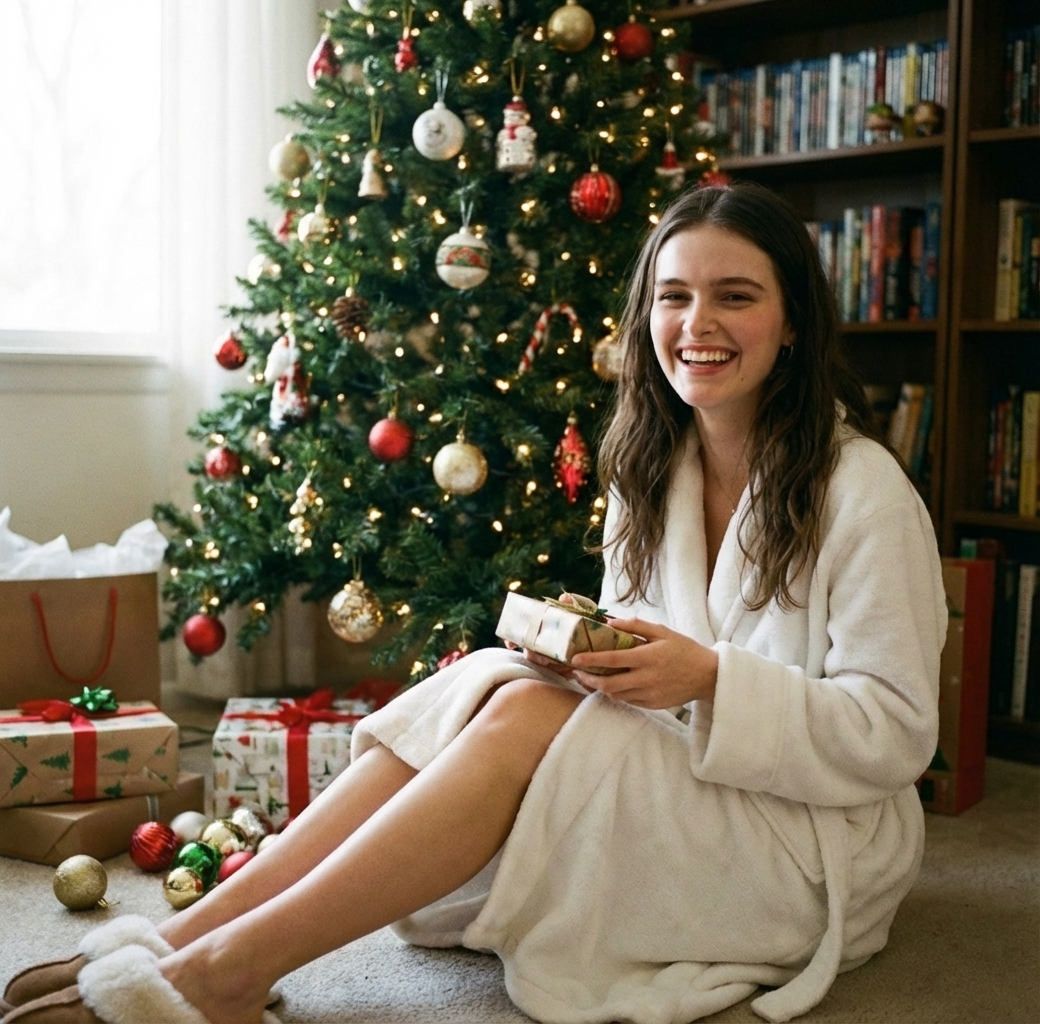
Preview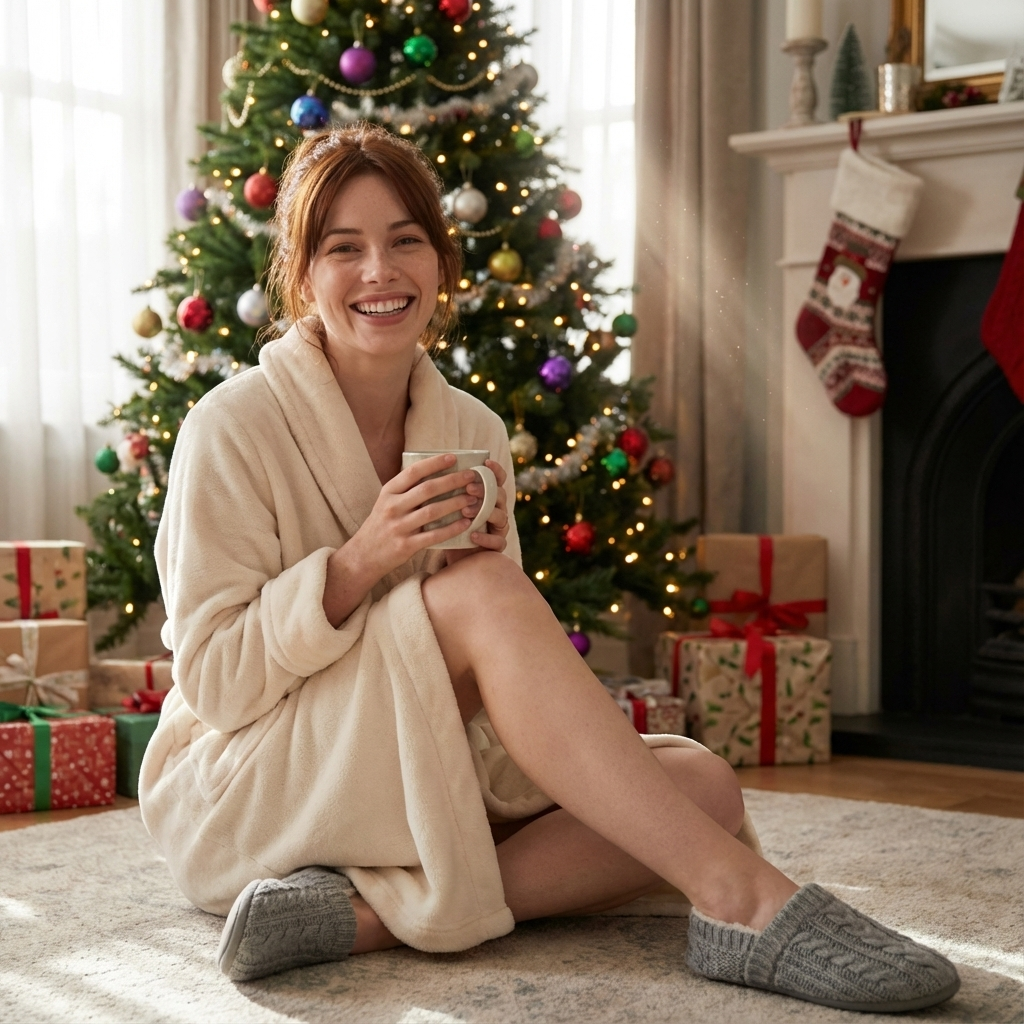
AI Christmas Photo Trend
AI Christmas Photo Trend
Upload Your Photo
By uploading or generating, you confirm you own these photos or have the person's permission, and you won't impersonate real people or celebrities. Responsible use
Quick answer
To do the AI Christmas Photo Trend, upload one clear photo where your face is easy to see, then press generate. imageat recreates your photo in the trend's look, and the image is ready to download when it finishes. One generation costs 8 imageat credits; no prompt writing or editing app is needed.
The AI Christmas photo trend puts you in the classic Christmas-morning shot: wrapped in a cozy robe and slippers, sitting in front of a fully decorated tree with gifts and ornaments around you, in soft early-morning light. You upload one selfie and get back a photorealistic holiday portrait, without decorating the living room or setting up a camera timer.
What is the AI Christmas Photo Trend?
AI Christmas photos are holiday portraits generated from your own selfie. Instead of picking a generic filter, the AI rebuilds the whole scene around you while keeping your face recognizable. This template recreates one specific look that spreads every December: the relaxed Christmas morning portrait, with a robe and slippers, a big smile, a decorated tree, wrapped presents and warm natural light. People use it for holiday cards, December profile pictures and 'Merry Christmas' posts.
How to Do the AI Christmas Photo Trend
Here is how to make your own version on imageat:
- 1Pick a clear, front-facing photo of yourself with your face well lit.
- 2Upload it to the AI Christmas Photo generator.
- 3Press Generate and wait for the portrait, usually within a minute.
- 4If you want a different pose or expression, generate again with another photo.
- 5Download the portrait and use it for a card, a story or your profile picture.
Ideas for using your AI Christmas photo
Digital holiday cards are the most common use: add a short greeting in any photo editor and send it in a group chat. The portrait also works as a December profile picture, a 'Merry Christmas' post on Instagram or Facebook, or a placeholder for the family photo you didn't get around to taking. If you're making several, generate everyone from their own photo so each portrait keeps the right face.
Getting a natural-looking result
The AI keeps the face from your photo, so the expression you upload is the expression you get. A relaxed, natural smile reads best in a cozy morning scene. Photos taken in soft daylight blend most naturally with the warm light of the generated room; harsh flash or strong colored lighting can look out of place.
Tips for Best Results
- Use a photo where you're smiling naturally; the AI keeps your expression.
- Face the camera and make sure nothing covers your face (sunglasses, hands, hats).
- Soft daylight photos blend best with the warm morning light of the scene.
- Upload one person per photo. Make each family member's portrait from their own photo.
- Generate a couple of versions and pick the one with the best pose.
Best Prompts for AI Christmas Photo Trend
Want more control over the look? Copy one of these prompts and use it in our AI image generator to fine-tune the ai christmas photo trend style.
AI Christmas Photo Trend style portrait, keeping the original face and pose, cinematic lighting, high detail, sharp focus
AI Christmas Photo Trend aesthetic with soft diffused light, pastel color grade, gentle film grain, shallow depth of field
High-contrast ai christmas photo trend version, saturated colors, dramatic rim lighting, glossy editorial finish
AI Christmas Photo Trend effect at night, neon ambiance, deep shadows, reflective highlights, atmospheric haze
AI Christmas Photo Trend at a Glance
What to upload
1 clear photos, one per person.
What you get
An AI image, ready to download and post on TikTok, Reels or Shorts.
What it costs
8 imageat credits per image. The price is shown before you generate, and a failed generation is refunded.
FAQs About AI Christmas Photo Trend
Create this trend with imageat
Create unlimited variations beyond the ai christmas photo trend with imageat's AI image generator.