AI Influencer Indoor Dance Video
Animate your adult AI influencer with an 8-second indoor dance. Upload a face portrait and a body reference of the same woman; keep the source outfit, room, camera and motion.
Reference video
Watch video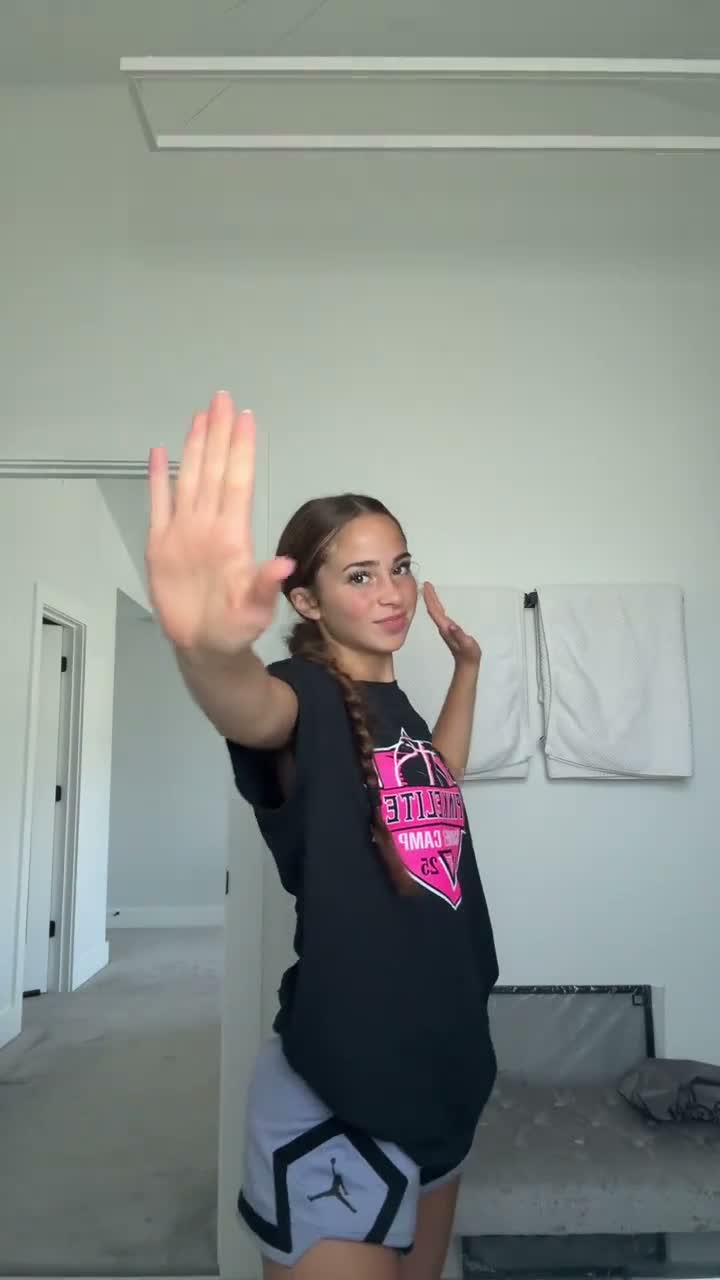
AI Influencer Indoor Dance Video
AI Influencer Indoor Dance Video
Upload Your Photo
Upload two images of ONE adult AI woman: first her face portrait, then her appearance/body reference. This template targets green eyes, freckles and long chestnut-brown hair. The source video's black graphic T-shirt and light bottoms are retained.
Resolution
8s · 9:16. Higher resolution uses more credits per generation.
8s · 9:16
By uploading or generating, you confirm you own these photos or have the person's permission, and you won't impersonate real people or celebrities. Responsible use
Quick answer
To do the AI Influencer Indoor Dance trend, upload 2 clear photos of the people you want in it, then press generate. imageat places the people from your photos into the trend's original video, and the video is ready to download when it finishes. One generation costs 109 imageat credits; no prompt writing or editing app is needed.
Upload a face portrait as the identity anchor and an appearance/body reference of the same adult AI woman. Higgsfield Genjutsu Motion Transfer uses both references in that order to recast the single performer in the supplied 8-second indoor dance. The supplied prompt targets recognizable facial geometry, green eyes, full lips, freckles and long chestnut-brown hair. The second image supplies appearance and proportions, not its background or outfit. The source's black graphic T-shirt, light-colored bottoms, room, composition, gestures and timing stay in the video. The source includes audio and the workflow asks to retain it when supported. Previews show reference footage, not a generated result. Identity and audio preservation depend on the model; fast hand movements and occlusion may reduce consistency.
What is the AI Influencer Indoor Dance Video?
An 8-second dance motion-transfer template for one adult AI influencer. Two references describe the same woman, while the supplied source video determines the indoor setting, outfit, camera and dance.
How to Do the AI Influencer Indoor Dance Trend
Here is how to make your own video on imageat:
- 1Upload your adult AI influencer's face portrait in the first slot.
- 2Upload an appearance/body reference of the SAME woman in the second slot.
- 3Choose 480p or 720p and generate the 8-second dance.
- 4Preview and download the finished video.
Tips for Best Results
- Use clear references of the same adult AI woman, never two different people.
- Keep facial geometry, hair and eye color consistent between references.
- Choose references matching the template's green eyes, freckles and long chestnut-brown hair.
- Use a body reference that clearly shows proportions; its outfit and background are not used.
AI Influencer Indoor Dance Video at a Glance
What to upload
Face portrait — identity anchor; Appearance/body reference — SAME woman.
What you get
An AI video (8s · 9:16) that follows the trend's original take, ready to download and post on TikTok, Reels or Shorts.
What it costs
109 imageat credits per video at 720p. The price is shown before you generate, and a failed generation is refunded.
FAQs About AI Influencer Indoor Dance Video
Create this trend with imageat
Go beyond the ai influencer indoor dance video — generate any AI video from text or an image with Veo, Kling, Seedance and more.