AI iPhone Car POV Trend Photo Generator
Transform your photos with our ai iphone car pov trend photo generator AI effect. Create viral-worthy content in seconds.
Example results
Preview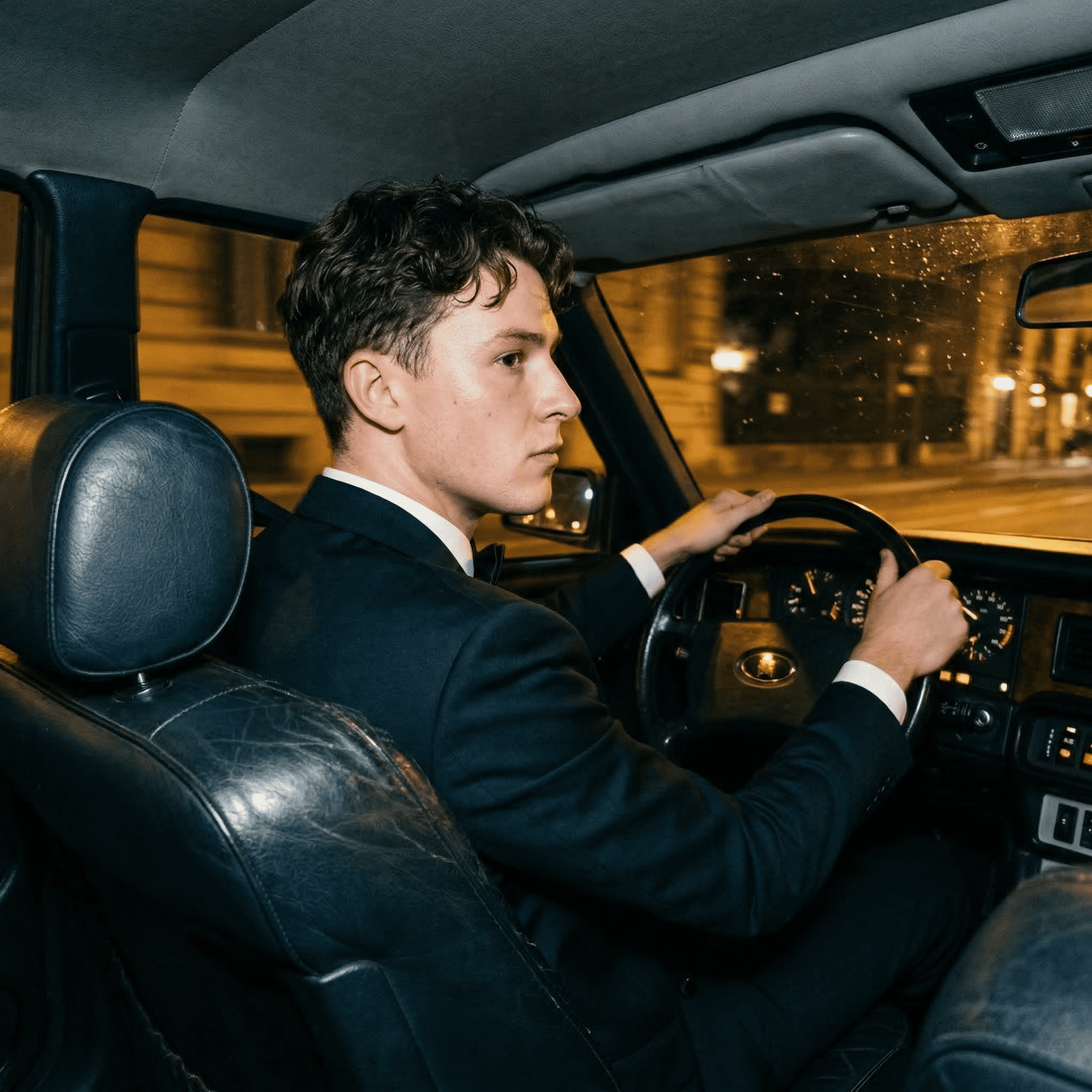
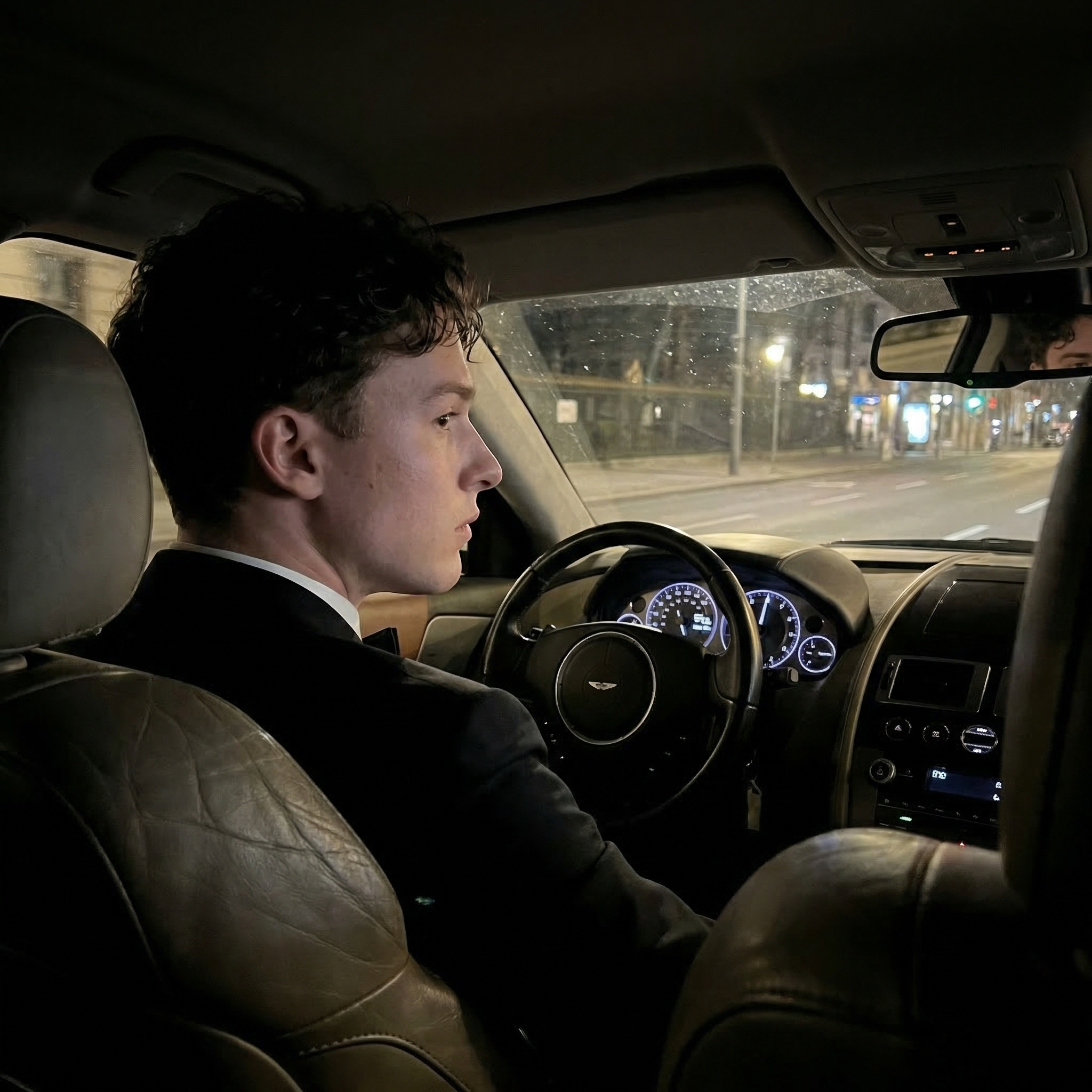
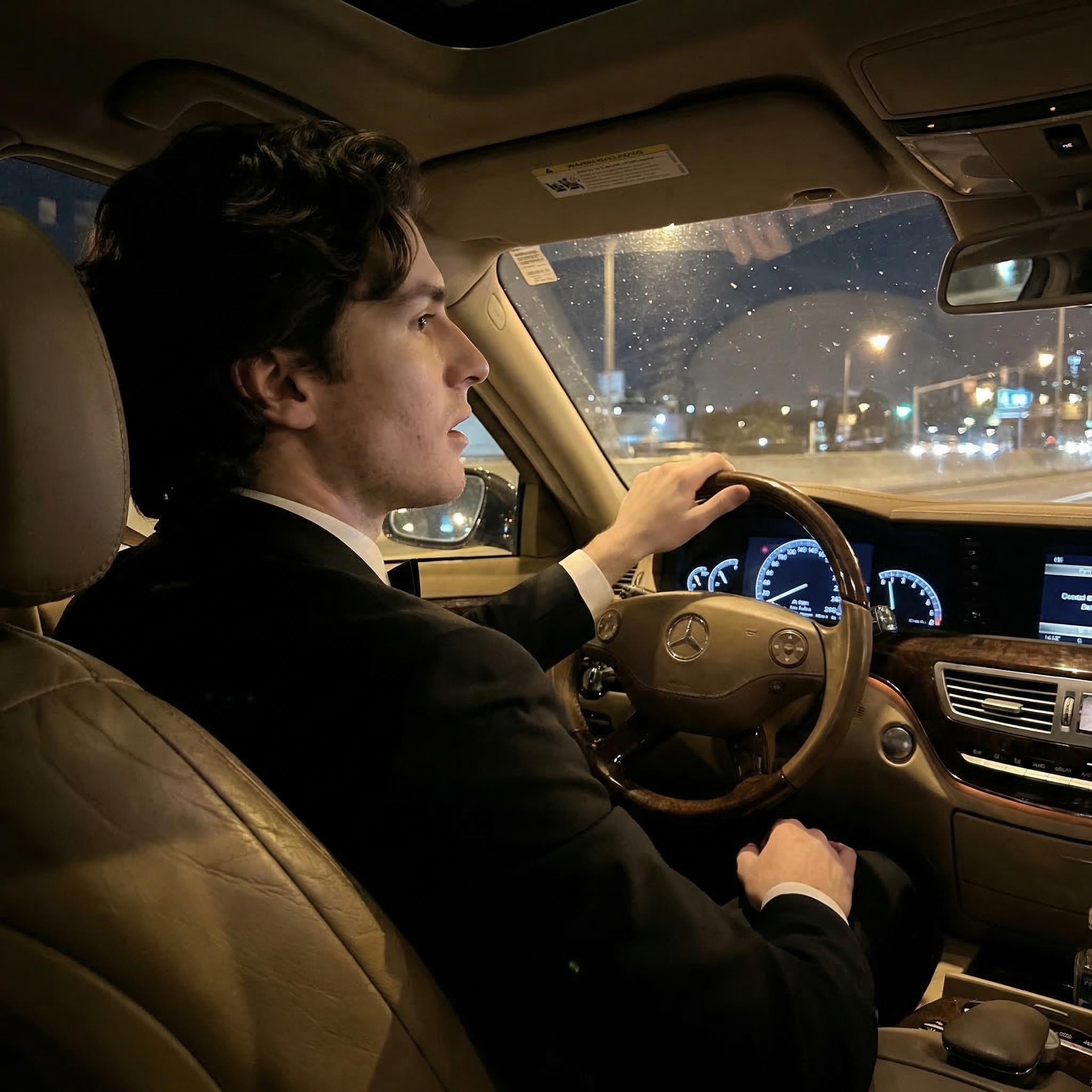
AI iPhone Car POV Trend Photo Generator
AI iPhone Car POV Trend
Upload Your Photo
By uploading or generating, you confirm you own these photos or have the person's permission, and you won't impersonate real people or celebrities. Responsible use
Quick answer
To do the AI iPhone Car POV Trend, upload one clear photo where your face is easy to see, then press generate. imageat recreates your photo in the trend's look, and the image is ready to download when it finishes. One generation costs 4 imageat credits; no prompt writing or editing app is needed.
The finished image shows you sitting behind the wheel of a classic luxury car during a quiet late-night drive. Framed from the rear passenger seat over your right shoulder, the shot looks like a candid snapshot captured on a handheld phone. You wear a dark tailored suit jacket while steering along city streets, with illuminated vintage buildings and warm streetlights passing outside the windshield. Subtle cabin details include authentic leather creases, dashboard dials, and natural evening shadows. Your uploaded photo supplies your facial features, skin tone, hair, and expression. The AI iPhone Car POV Trend Photo Generator builds the entire car cabin, clothing, and night environment around you without heavy filters or exaggerated lighting. The resulting vertical image is ready to save directly to your camera roll.
What is the AI iPhone Car POV Trend Photo Generator?
The AI iPhone Car POV Trend Photo Generator recreates a popular aesthetic trend seen across Instagram and TikTok, where creators post candid photos from late-night car rides. Instead of flashy supercars or neon lights, the trend focuses on quiet luxury, featuring a driver in formal attire viewed from the back seat through a phone camera lens. The composition mimics an unposed snapshot taken by a passenger during an evening cruise through the city. On imageat, you can produce this exact scene in a single vertical photo by uploading one portrait of yourself.
How to Do the AI iPhone Car POV Trend
Here is how to make your own version on imageat:
- 1Upload one clear portrait with your face facing forward and unobstructed.
- 2Select generate to render your car interior photo on imageat.
- 3Download the finished vertical image and share it on Instagram or TikTok.
Tips for Best Results
- Use high-quality photos for best results
- Good lighting makes a big difference
- Try different angles and poses
- Experiment with various styles
- Share your creations on social media
Best Prompts for AI iPhone Car POV Trend Photo Generator
Want more control over the look? Copy one of these prompts and use it in our AI image generator to fine-tune the ai iphone car pov trend photo generator style.
Photorealistic ai iphone car pov trend photo generator, ultra-detailed skin and hair, realistic lighting, 8k quality, true-to-life colors
Cinematic ai iphone car pov trend photo generator, teal-and-orange grade, anamorphic depth, movie-still composition
Minimal AI iPhone Car POV Trend Photo portrait, simple background, balanced composition, soft natural light
AI iPhone Car POV Trend Photo style with a single dramatic spotlight, chiaroscuro shadows, high contrast, intense mood
AI iPhone Car POV Trend Photo Generator at a Glance
What to upload
1 clear photos, one per person.
What you get
An AI image, ready to download and post on TikTok, Reels or Shorts.
What it costs
4 imageat credits per image. The price is shown before you generate, and a failed generation is refunded.
FAQs About AI iPhone Car POV Trend Photo Generator
Create this trend with imageat
Create unlimited variations beyond the ai iphone car pov trend photo generator with imageat's AI image generator.