AI GTA V Effect Trend Photo Generator
Transform your photos with our ai gta v effect trend photo generator AI effect. Create viral-worthy content in seconds.
Example results
Preview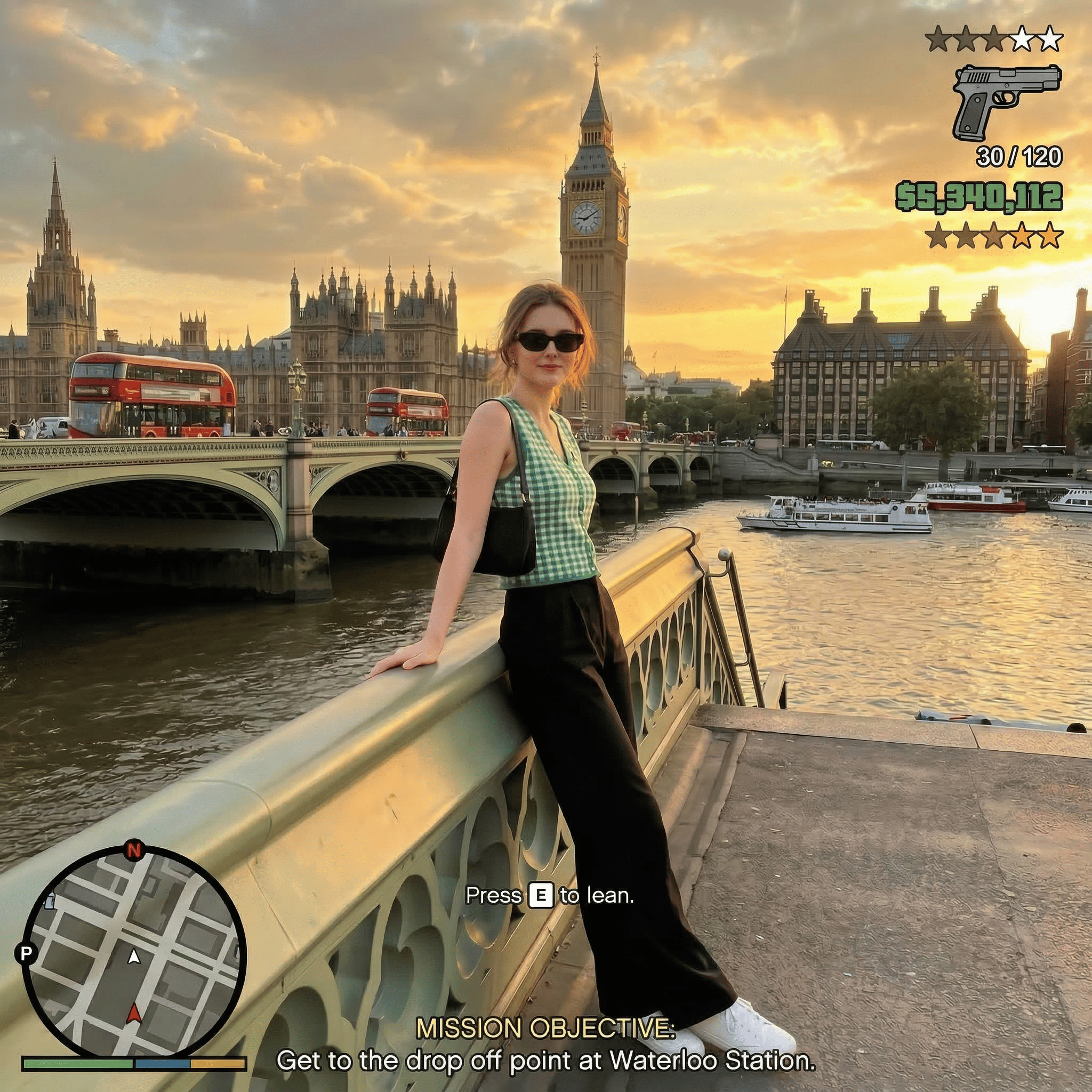
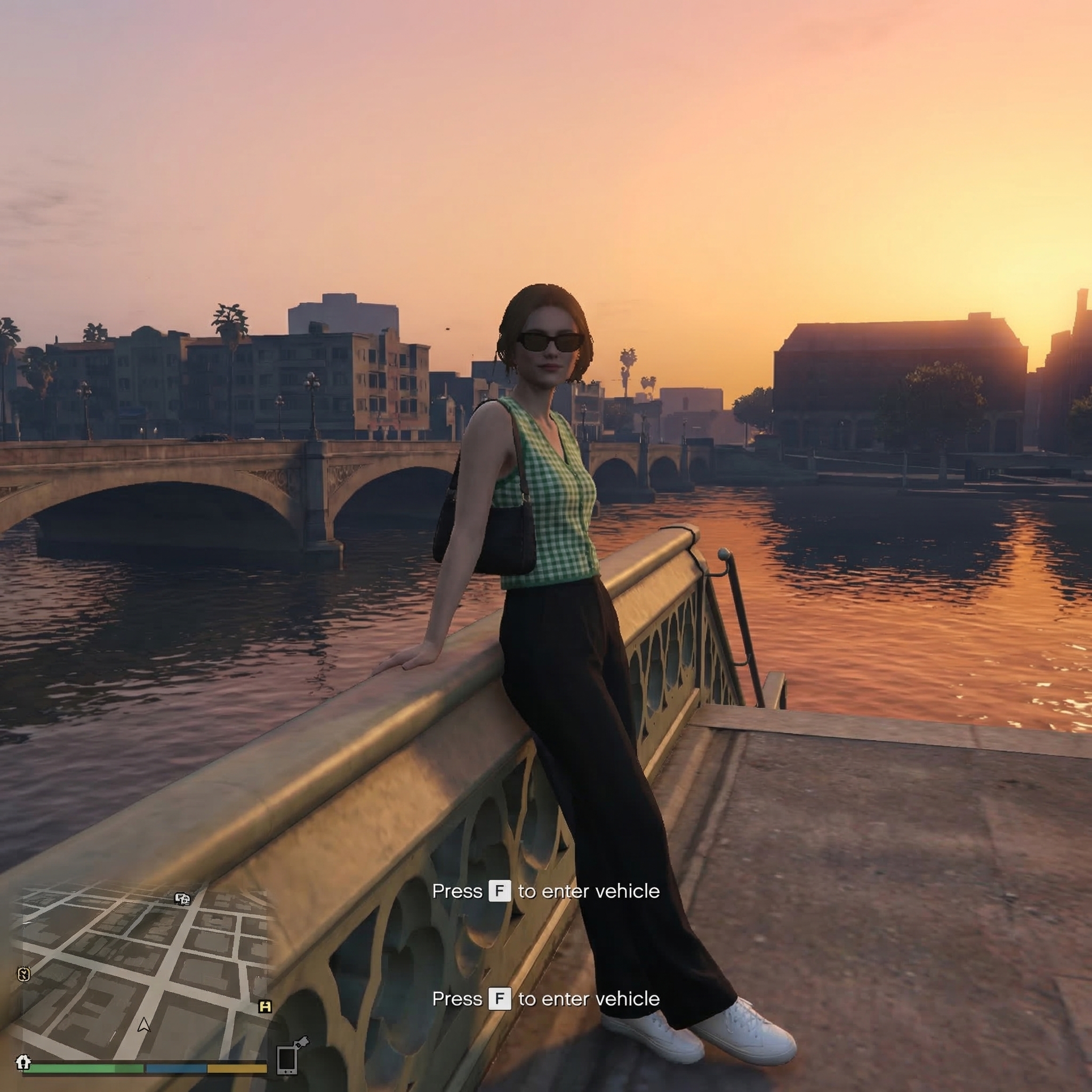
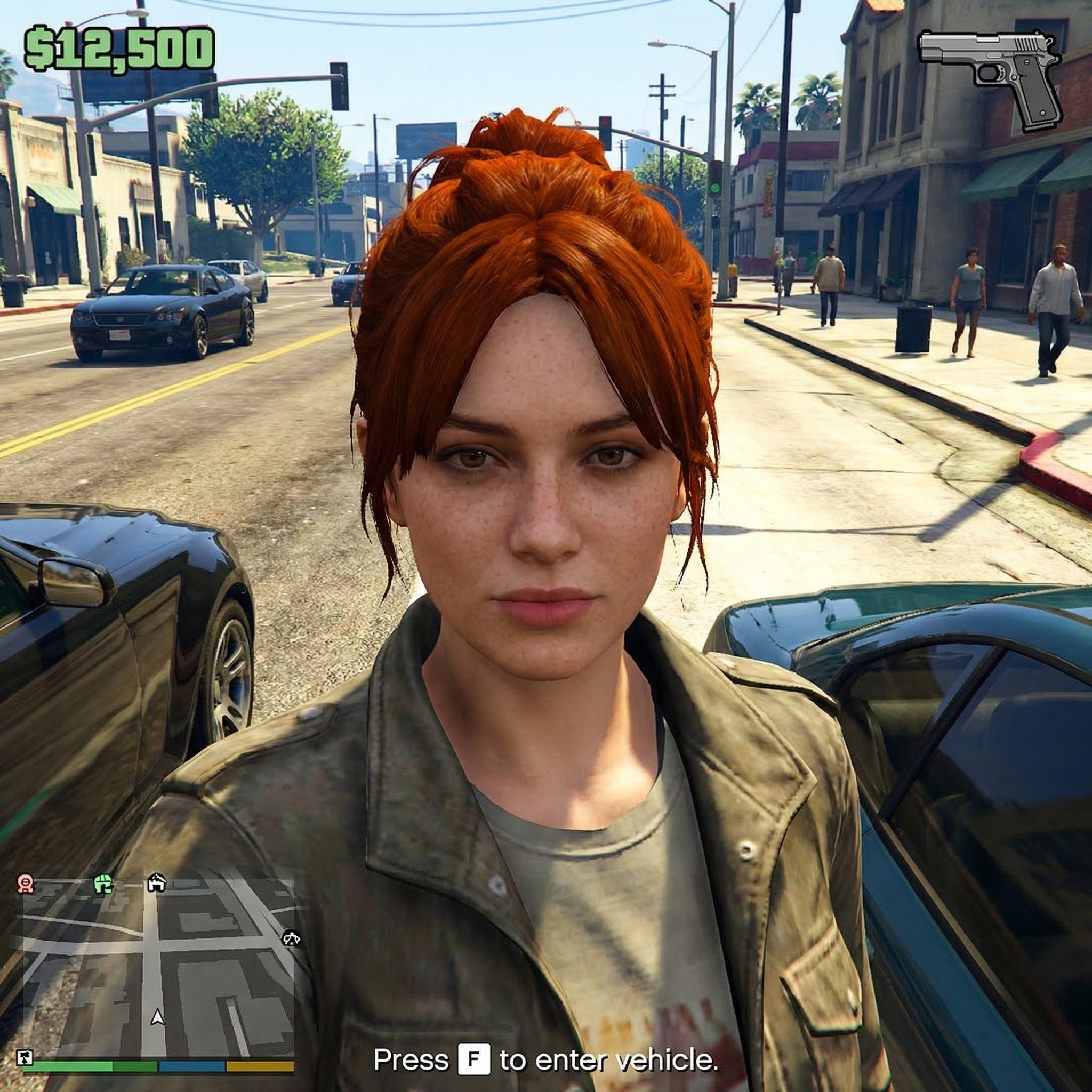
AI GTA V Effect Trend Photo Generator
AI GTA V Effect Trend
Upload Your Photo
By uploading or generating, you confirm you own these photos or have the person's permission, and you won't impersonate real people or celebrities. Responsible use
Quick answer
To do the AI GTA V Effect Trend, upload one clear photo where your face is easy to see, then press generate. imageat recreates your photo in the trend's look, and the image is ready to download when it finishes. One generation costs 8 imageat credits; no prompt writing or editing app is needed.
The AI GTA V Effect Trend Photo Generator turns your photo into a paused video game screenshot from Grand Theft Auto V. You appear as an in-game character rendered with 3D game engine textures, ambient lighting, and a third-person camera perspective. The image includes authentic GTA V head-up display overlays, such as the circular radar mini-map and health bars in the corner, a weapon icon with ammo counts, a green money balance, wanted stars, and on-screen mission objective text. Your uploaded photo supplies your pose, outfit, facial features, accessories, and the core background location. The generator applies the console color grading, mid-resolution character shaders, and game interface elements to produce a finished still image ready for your feed.
What is the AI GTA V Effect Trend Photo Generator?
The GTA V trend gained popularity across TikTok and Instagram as creators turned vacation snapshots and city portraits into fictional mission screenshots from Grand Theft Auto V. Instead of manually cutting and pasting game graphics, people recreate the open-world aesthetic complete with the classic radar minimap, wanted stars, weapon icons, and custom mission text prompts. The AI GTA V Effect Trend Photo Generator on imageat transforms a single photo into an authentic console gameplay capture in seconds.
How to Do the AI GTA V Effect Trend
Here is how to make your own version on imageat:
- 1Upload a clear portrait or full-body photo taken in an urban, street, or scenic setting.
- 2Click generate to transform your picture into a Grand Theft Auto V video game screenshot with full HUD overlays.
- 3Download your completed image and post it to Instagram, TikTok, or gaming forums.
Tips for Best Results
- Use high-quality photos for best results
- Good lighting makes a big difference
- Try different angles and poses
- Experiment with various styles
- Share your creations on social media
Best Prompts for AI GTA V Effect Trend Photo Generator
Want more control over the look? Copy one of these prompts and use it in our AI image generator to fine-tune the ai gta v effect trend photo generator style.
Photorealistic ai gta v effect trend photo generator, ultra-detailed skin and hair, realistic lighting, 8k quality, true-to-life colors
Cinematic ai gta v effect trend photo generator, teal-and-orange grade, anamorphic depth, movie-still composition
Minimal AI GTA V Effect Trend Photo portrait, simple background, balanced composition, soft natural light
AI GTA V Effect Trend Photo style with a single dramatic spotlight, chiaroscuro shadows, high contrast, intense mood
AI GTA V Effect Trend Photo Generator at a Glance
What to upload
1 clear photos, one per person.
What you get
An AI image, ready to download and post on TikTok, Reels or Shorts.
What it costs
8 imageat credits per image. The price is shown before you generate, and a failed generation is refunded.
FAQs About AI GTA V Effect Trend Photo Generator
Create this trend with imageat
Create unlimited variations beyond the ai gta v effect trend photo generator with imageat's AI image generator.