AI Short Drama Car Scene
Star in a 30-second cinematic car scene with two photos. Replace the blonde woman and black-haired man while preserving the original performances, cuts and audio.
Example results
Watch video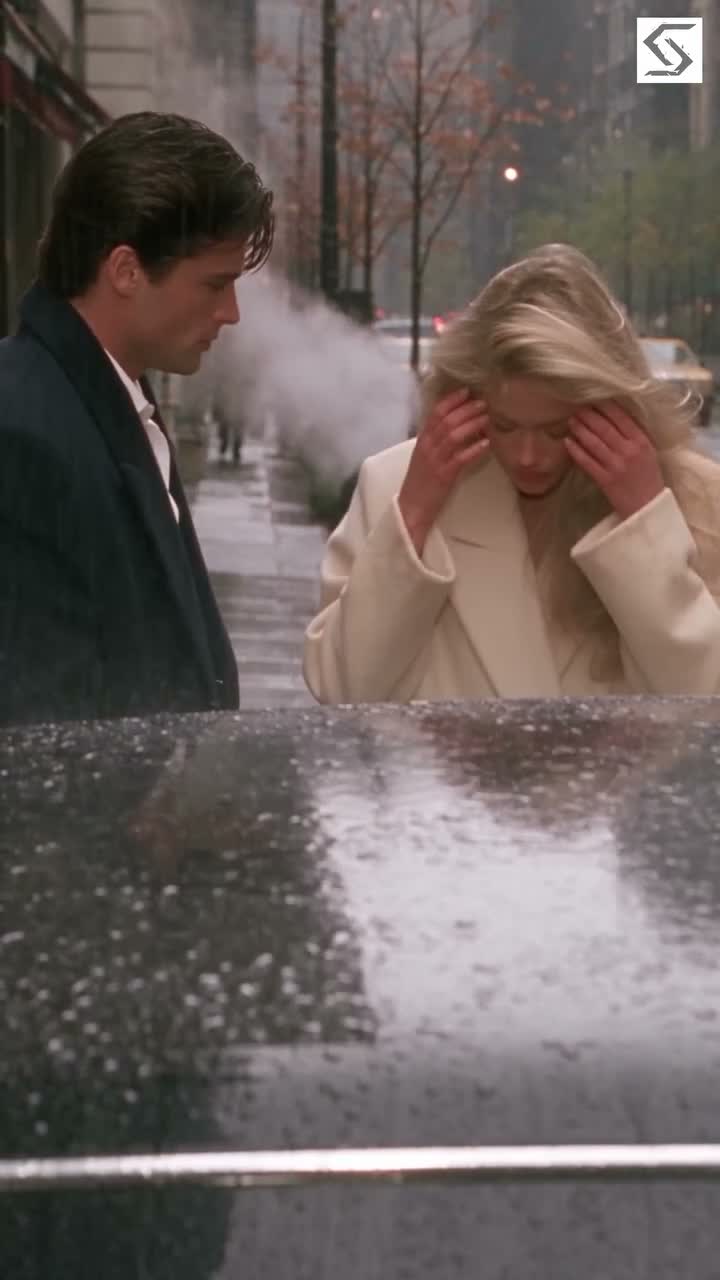
AI Short Drama Car Scene
AI Short Drama Car Scene
Upload Your Photo
For the best likeness: one person per photo, face clearly visible from the front, good light, nothing covering the face (phone, sunglasses, hand). Upload the original photo, not a screenshot.
Resolution
Higher resolution uses more credits per generation.
By uploading or generating, you confirm you own these photos or have the person's permission, and you won't impersonate real people or celebrities. Responsible use
Quick answer
To do the AI Short Drama Car Scene trend, upload 2 clear photos of the people you want in it, then press generate. imageat places the people from your photos into the trend's original video, and the video is ready to download when it finishes. One generation costs 409 imageat credits; no prompt writing or editing app is needed.
Become the two lead characters in a cinematic short drama. The 30-second reference opens with a blonde woman inside a car, moves onto a city street, and cuts between her and a black-haired man near a shop window. Upload two separate character photos to recast both roles while following the original acting, gestures and edit rhythm. Photo 1 replaces the blonde woman in every shot. Photo 2 replaces the black-haired man in every shot. Each reference defines its own character's face, build, hairstyle and outfit; the identities must stay separate, even when the characters appear together or in different shots. The source controls the motion, timing, background extras, environment, props, camera, cuts and original audio. The reference is 30 seconds in vertical 9:16 format. Choose 480p or 720p. No custom prompt or video upload is needed. The preview shows source footage, not a personalized generated example. Results can vary during quick cuts, turns and partial occlusion. This is an independent AI template with no affiliation with the source production or performers.
What is the AI Short Drama Car Scene?
A two-photo AI short drama template that recasts the blonde woman and black-haired man in a fixed cinematic car scene with Higgsfield Genjutsu Motion Transfer.
How to Do the AI Short Drama Car Scene Trend
Here is how to make your own video on imageat:
- 1Upload photo 1 for the character replacing the blonde woman.
- 2Upload photo 2 for the character replacing the black-haired man.
- 3Choose 480p or 720p and check the credit cost.
- 4Generate, preview and download your 30-second short drama.
Tips for Best Results
- Use one person per photo and keep the two upload roles in order.
- Clear face and outfit details help define each replacement character.
- Use separate references for the two roles to avoid mixing identities.
- Start at 480p to check identity consistency across the scene cuts.
AI Short Drama Car Scene at a Glance
What to upload
Photo 1 — replaces the blonde woman; Photo 2 — replaces the black-haired man.
What you get
An AI video that follows the trend's original take, ready to download and post on TikTok, Reels or Shorts.
What it costs
409 imageat credits per video at 720p. The price is shown before you generate, and a failed generation is refunded.
FAQs About AI Short Drama Car Scene
Create this trend with imageat
Go beyond the ai short drama car scene — generate any AI video from text or an image with Veo, Kling, Seedance and more.