AI Color Analysis: Learn Your Personal Color Palette
Transform your photos with our ai color analysis: learn your personal color palette AI effect. Create viral-worthy content in seconds.
Example results
Preview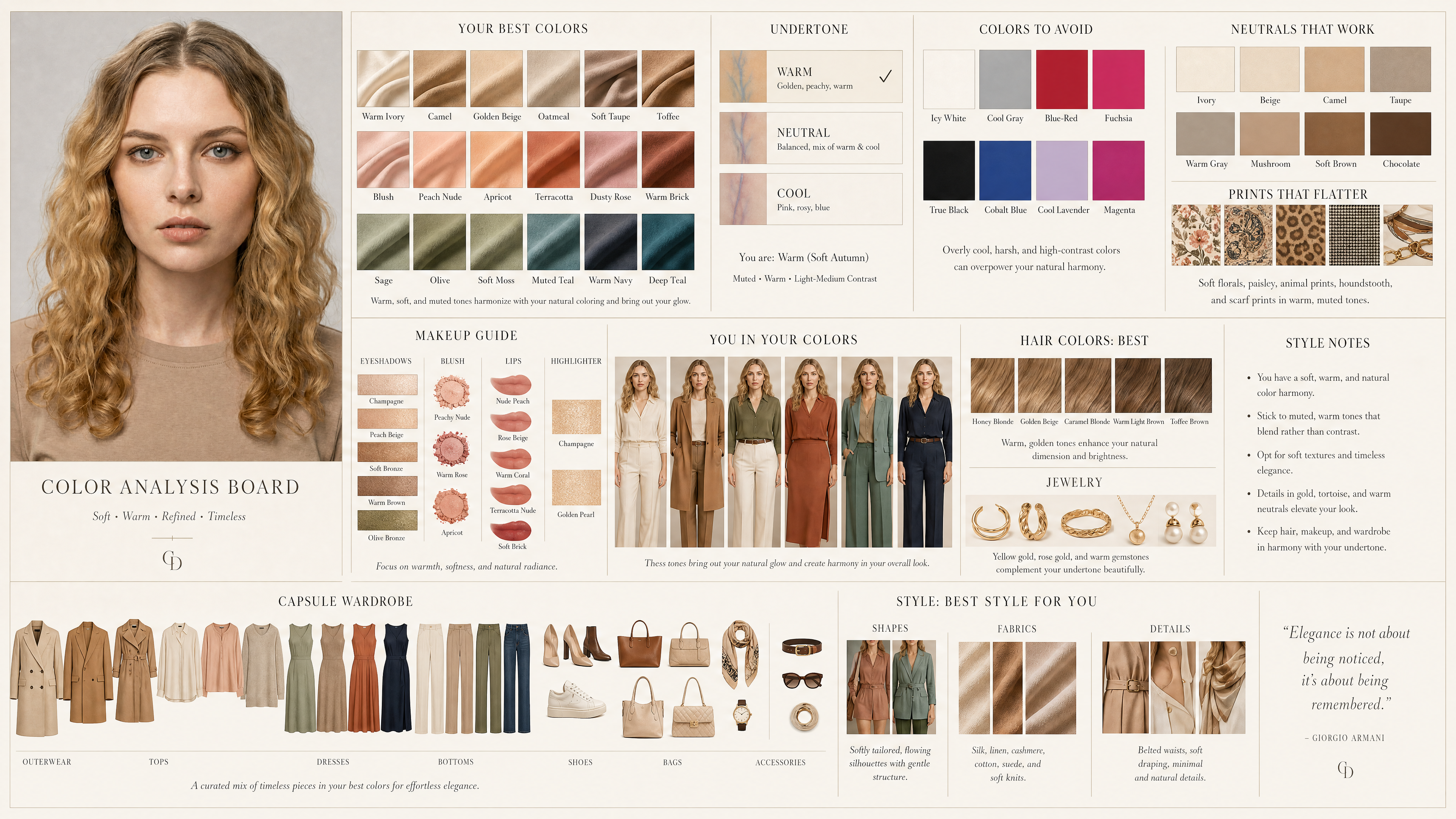
AI Color Analysis: Learn Your Personal Color Palette
AI Color Analysis: Learn Your Personal Color Palette
Upload Your Photo
By uploading or generating, you confirm you own these photos or have the person's permission, and you won't impersonate real people or celebrities. Responsible use
Quick answer
To do the AI Color Analysis: Learn Your Personal Color Palette trend, upload one clear photo where your face is easy to see, then press generate. imageat recreates your photo in the trend's look, and the image is ready to download when it finishes. One generation costs 10 imageat credits; no prompt writing or editing app is needed.
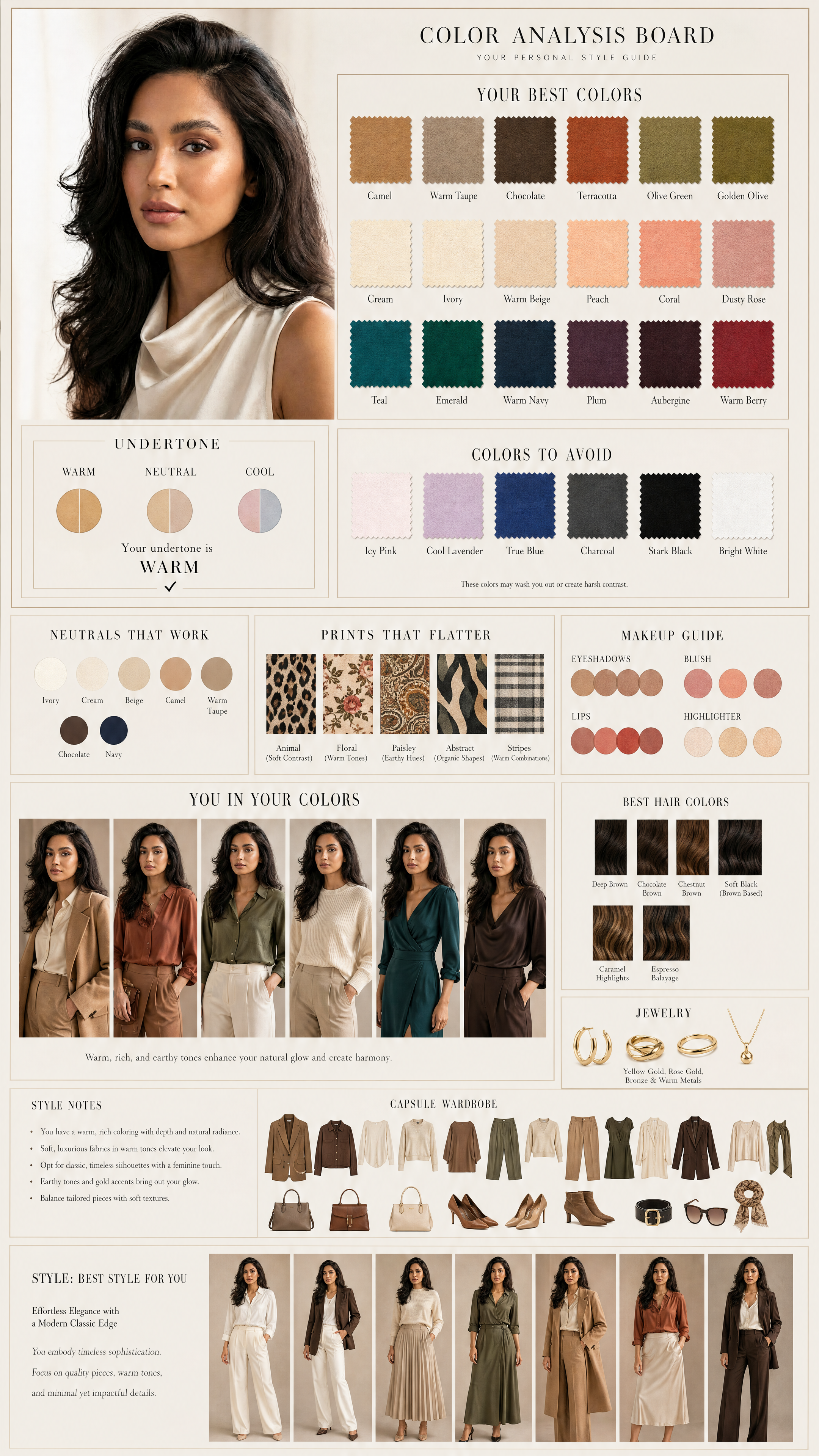
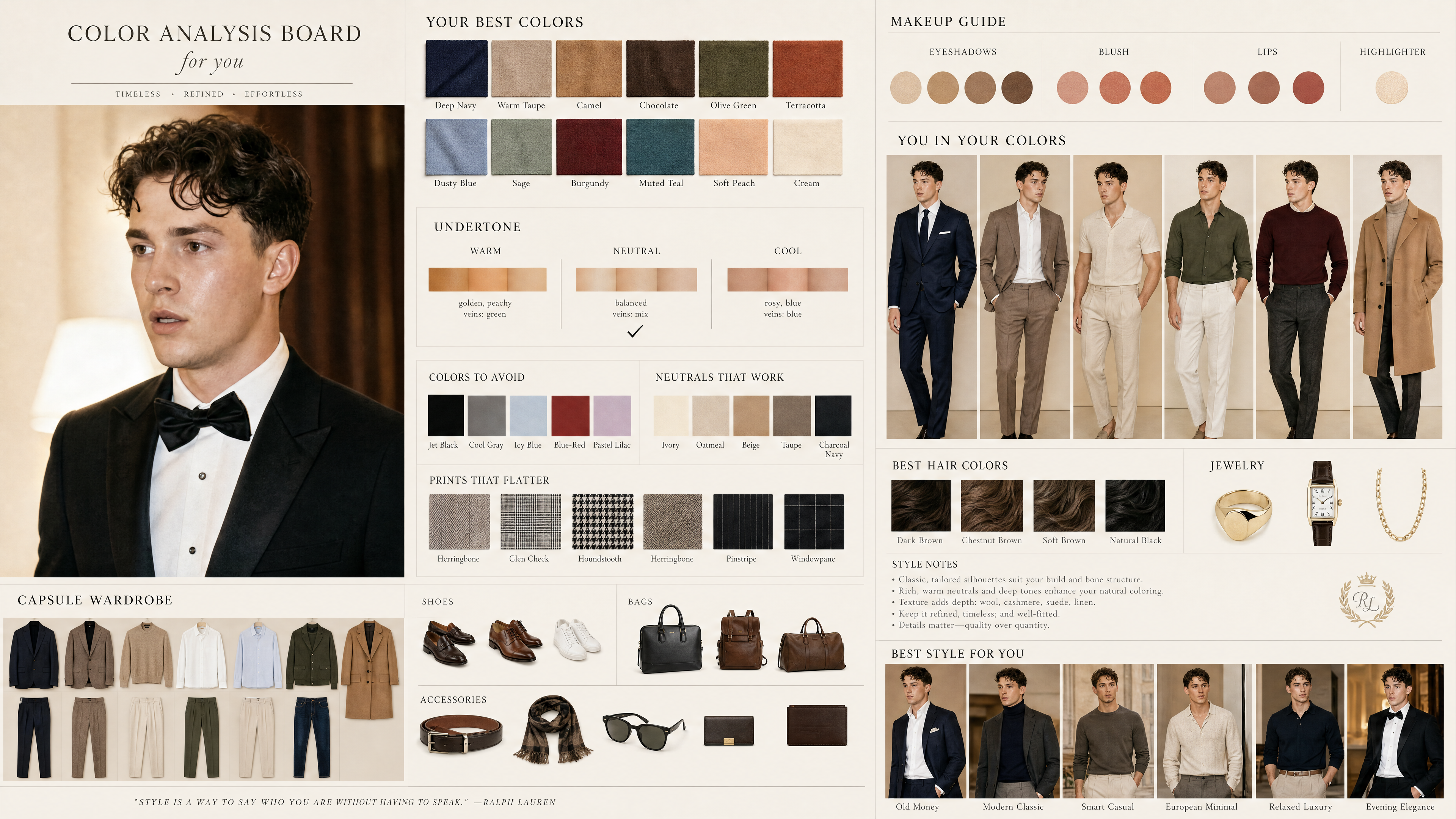
Personal color analysis used to mean booking a draping session with a stylist. This tool turns one portrait into a magazine-style color analysis board instead: your undertone marked as warm, neutral or cool, a row of fabric swatches for your best colors, the shades to avoid, and a makeup, hair and wardrobe guide built around them. It is a quick, visual way to see which palette suits you before you shop or book a professional consultation.
What is the AI Color Analysis: Learn Your Personal Color Palette ?
AI color analysis is the online version of seasonal color analysis, the method stylists use to match clothing and makeup to your skin tone, eye color and hair. Instead of holding colored fabrics under your face, you upload a selfie and the AI reads those features from the photo. On imageat the result is a single editorial board, styled like a luxury fashion spread on an ivory background, with your portrait in the middle and every recommendation laid out around it: best colors, undertone, colors to avoid, neutrals and prints that work, a makeup guide (eyeshadow, blush, lips, highlighter), flattering hair colors, jewelry, style notes and a small capsule wardrobe.
How to Do the AI Color Analysis: Learn Your Personal Color Palette Trend
Here is how to make your own version on imageat:
- 1Take a selfie in daylight, facing a window, with no filter and little or no makeup so your natural skin tone shows.
- 2Upload the photo. One clear, front-facing portrait is all the tool needs.
- 3Press Generate. The board usually comes back within a minute or two.
- 4Check the undertone panel first, then compare the 'best colors' and 'colors to avoid' swatches with clothes you already own.
- 5Download the board and keep it on your phone as a shopping reference.
What's on your color analysis board
Each board covers the same sections, so you can compare results from different photos: Your Best Colors (fabric swatches), an undertone panel marking warm, neutral or cool, Colors to Avoid, Neutrals That Work, Prints That Flatter, a makeup guide for eyeshadow, blush, lips and highlighter, 'You in your colors' outfit variations, best hair colors, jewelry tones, style notes, and a capsule wardrobe with coordinated outfits, shoes, bags and accessories.
How accurate is AI color analysis?
Treat it as a strong starting point rather than a final verdict. A photo can only show what the camera saw: warm indoor bulbs push skin toward yellow, cold screens push it toward blue, and beauty filters hide your real undertone. Results are most reliable from a daylight selfie with no filter. If two photos taken in different light give you different undertones, trust the one taken next to a window, or confirm with an in-person draping session.
Tips for Best Results
- Use natural daylight from a window. Avoid yellow indoor bulbs and colored LED lights.
- Skip beauty filters and heavy foundation; they change the skin tone the AI reads.
- Pull hair away from your face if it casts shadows on your cheeks or jaw.
- Wear a plain white or grey top so a colored neckline doesn't tint your skin.
- Run it on two photos taken in different light and compare the undertone panels.
Best Prompts for AI Color Analysis: Learn Your Personal Color Palette
Want more control over the look? Copy one of these prompts and use it in our AI image generator to fine-tune the ai color analysis: learn your personal color palette style.
AI Color Analysis: Learn Your Personal Color Palette style portrait, keeping the original face and pose, cinematic lighting, high detail, sharp focus
AI Color Analysis: Learn Your Personal Color Palette aesthetic with soft diffused light, pastel color grade, gentle film grain, shallow depth of field
High-contrast ai color analysis: learn your personal color palette version, saturated colors, dramatic rim lighting, glossy editorial finish
AI Color Analysis: Learn Your Personal Color Palette effect at night, neon ambiance, deep shadows, reflective highlights, atmospheric haze
AI Color Analysis: Learn Your Personal Color Palette at a Glance
What to upload
1 clear photos, one per person.
What you get
An AI image, ready to download and post on TikTok, Reels or Shorts.
What it costs
10 imageat credits per image. The price is shown before you generate, and a failed generation is refunded.
FAQs About AI Color Analysis: Learn Your Personal Color Palette
Create this trend with imageat
Create unlimited variations beyond the ai color analysis: learn your personal color palette with imageat's AI image generator.