Face Analysis Effect Photo Generator
Transform your photos with our face analysis effect photo generator AI effect. Create viral-worthy content in seconds.
Example results
Preview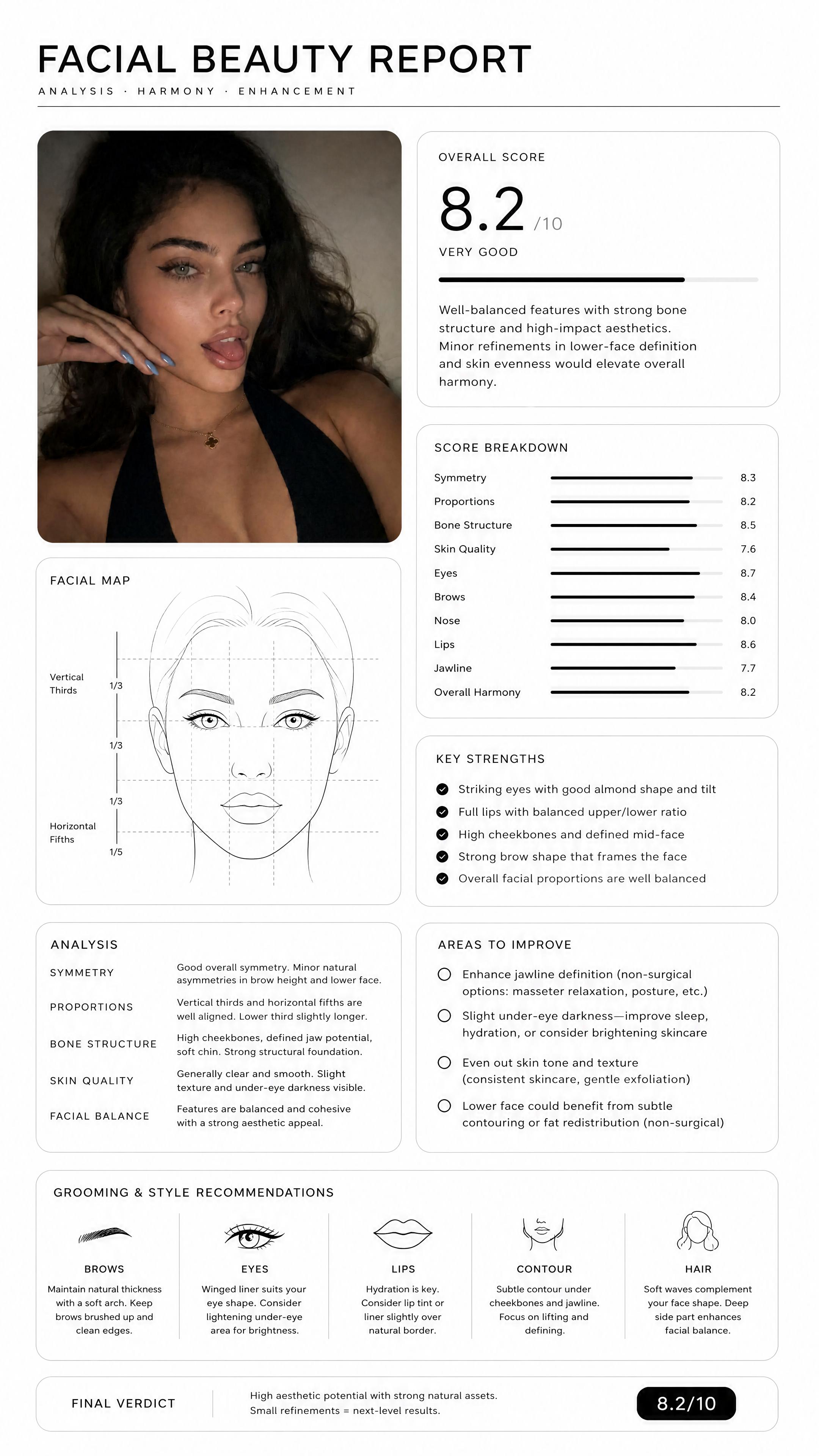
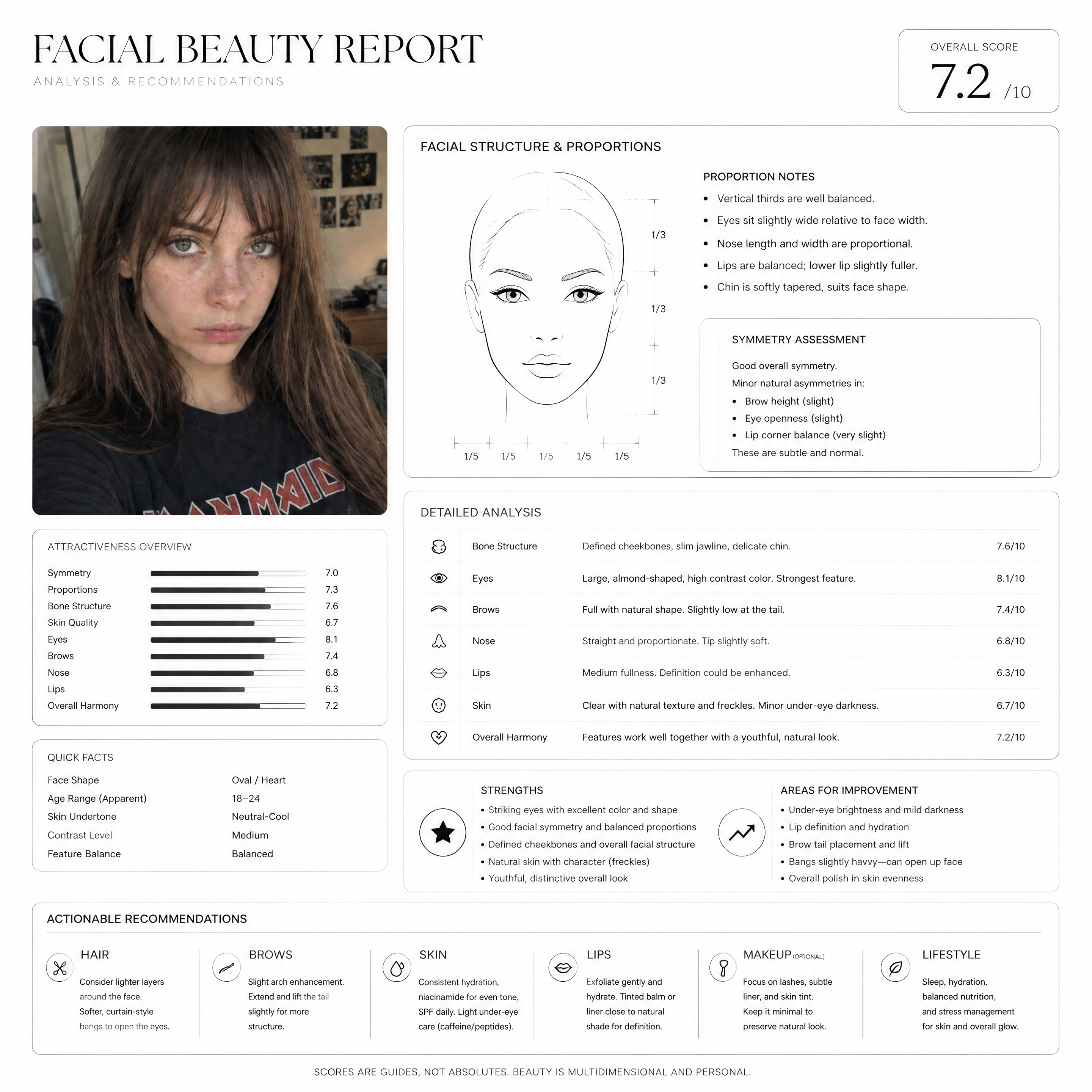
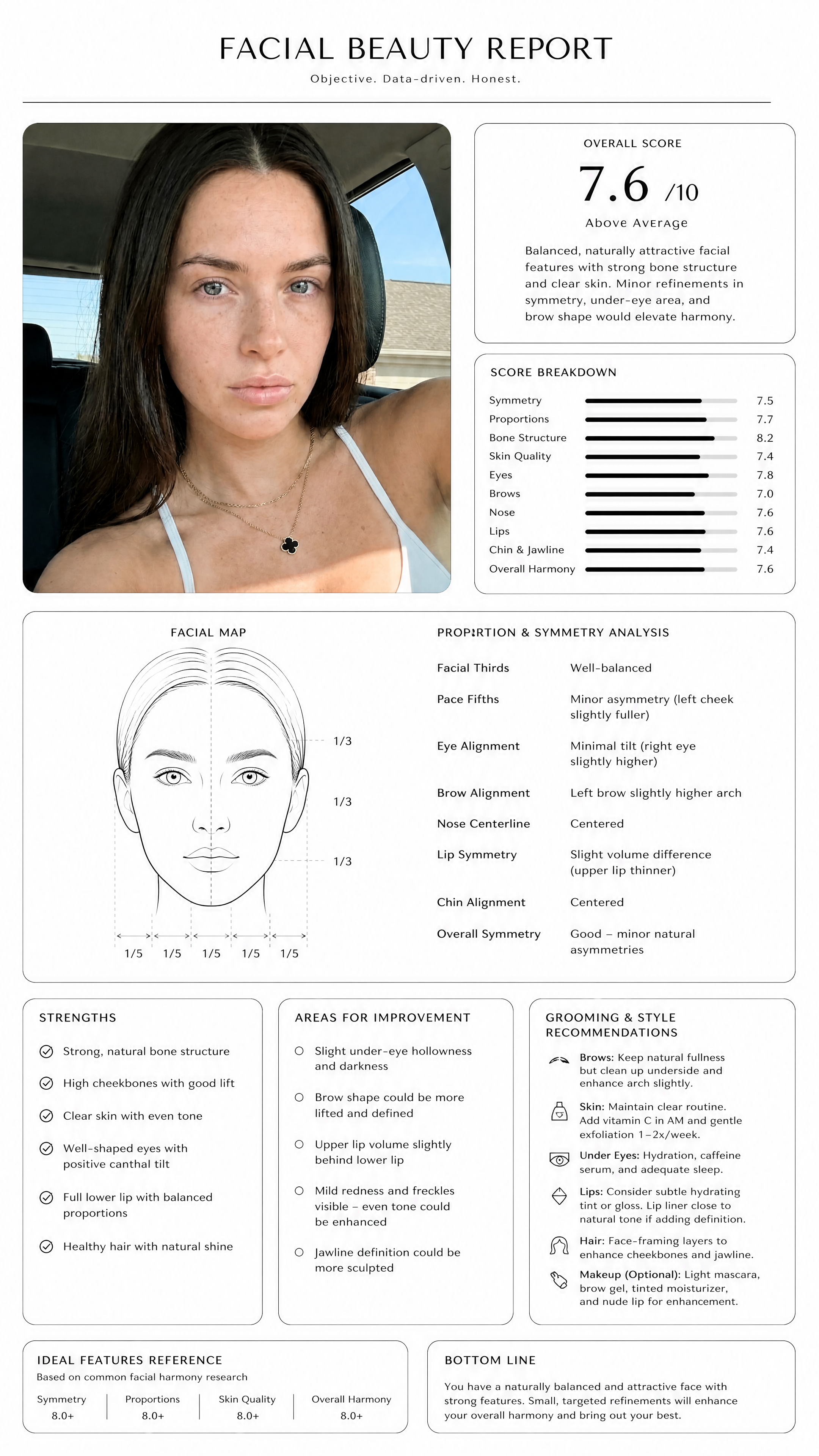
Face Analysis Effect Photo Generator
Face Analysis Effect
Upload Your Photo
By uploading or generating, you confirm you own these photos or have the person's permission, and you won't impersonate real people or celebrities. Responsible use
Quick answer
To do the Face Analysis trend, upload one clear photo where your face is easy to see, then press generate. imageat recreates your photo in the trend's look, and the image is ready to download when it finishes. One generation costs 10 imageat credits; no prompt writing or editing app is needed.
The finished image formats your photo into an editorial dossier titled Facial Beauty Report. Your portrait appears at the top left, alongside a detailed facial map line sketch marked with vertical thirds and horizontal fifths. Surrounding cards display an overall aesthetic score out of ten, individual rating bars, a written summary, and bulleted lists covering key strengths and areas to refine. The lower section includes customized grooming and style recommendations for brows, eyes, lips, contour, and hair. Your uploaded photo provides your facial features, skin tone, hairstyle, and expression. The face analysis effect photo generator template creates the black-on-white grid, line art, metric scores, and beauty analysis cards. The final result is a high-resolution infographic image ready to share or save.
What is the Face Analysis Effect Photo Generator?
The face analysis effect photo generator comes from the viral facial beauty report trend on TikTok, Instagram, and X. Users share aesthetic evaluation cards that critique their facial symmetry, proportions, and bone structure in the visual style of a clinical consultation document. People post these report cards as photo carousels or comparison videos to show their scores, review personalized styling tips, and debate the AI feedback with friends. On imageat, you upload a single portrait to generate your own personalized analysis sheet in one step.
How to Do the Face Analysis Trend
Here is how to make your own version on imageat:
- 1Upload one clear, front-facing portrait or selfie with even lighting.
- 2Click generate to run the AI facial analysis.
- 3Download the finished beauty report image to your device.
- 4Post your score card and feature breakdown on TikTok or Instagram.
Tips for Best Results
- Use high-quality photos for best results
- Good lighting makes a big difference
- Try different angles and poses
- Experiment with various styles
- Share your creations on social media
Best Prompts for Face Analysis Effect Photo Generator
Want more control over the look? Copy one of these prompts and use it in our AI image generator to fine-tune the face analysis effect photo generator style.
Face Analysis Effect Photo look as a clean studio portrait, even softbox lighting, neutral background, crisp skin texture
Face Analysis Effect Photo style during golden hour, warm backlight, lens flare, natural skin tones, bokeh background
Face Analysis Effect Photo aesthetic as a fashion magazine cover, bold styling, sharp detail, professional color grade
Face Analysis Effect Photo effect with vintage 35mm film grain, faded colors, light leaks, nostalgic mood
Face Analysis Effect Photo Generator at a Glance
What to upload
1 clear photos, one per person.
What you get
An AI image, ready to download and post on TikTok, Reels or Shorts.
What it costs
10 imageat credits per image. The price is shown before you generate, and a failed generation is refunded.
FAQs About Face Analysis Effect Photo Generator
Create this trend with imageat
Create unlimited variations beyond the face analysis effect photo generator with imageat's AI image generator.