Ghostface Popcorn AI Photo Generator
Make a playful Ghostface movie-night portrait: pink satin bedding, a shared bowl of popcorn and nostalgic 1990s bedroom styling.
Example results
Preview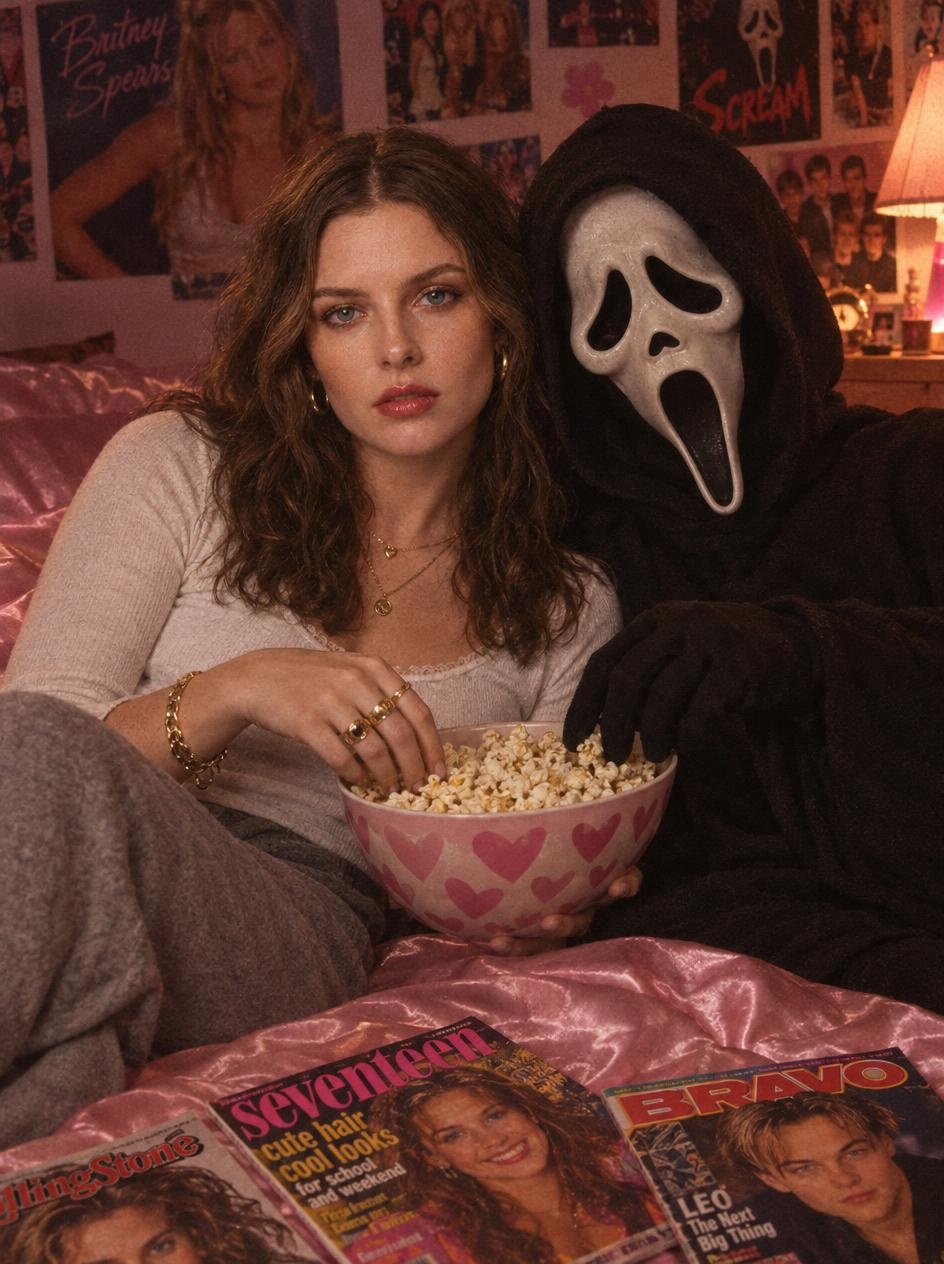
Ghostface Popcorn AI Photo Generator
Ghostface Popcorn
Upload Your Photo
Output
One 3:4 AI photo
By uploading or generating, you confirm you own these photos or have the person's permission, and you won't impersonate real people or celebrities. Responsible use
Quick answer
To do the Ghostface Popcorn trend, upload one clear photo where your face is easy to see, then press generate. imageat recreates your photo in the trend's look, and the image is ready to download when it finishes. One generation costs 3 imageat credits; no prompt writing or editing app is needed.
Ghostface Popcorn AI Photo Generator turns one uploaded photo into a ghostface popcorn movie night on imageat. Make a playful Ghostface movie-night portrait: pink satin bedding, a shared bowl of popcorn and nostalgic 1990s bedroom styling. Vintage colors, nostalgic styling and a cinematic horror atmosphere bring the scene together. The uploaded photo supplies your facial identity; the template supplies the pose, wardrobe, makeup, setting and film look. This is a generated still image, not a face filter or a video. The prompt requests recognizable facial features, but likeness and small details can vary between generations. The example uses the supplied model reference photo. This is an independent fan-inspired template, with no official affiliation with the film franchises.
What is the Ghostface Popcorn AI Photo Generator?
The Ghostface Popcorn AI Photo Generator trend is a cozy horror aesthetic that pairs 1990s teen nostalgia with the masked slasher from the Scream franchise. Across TikTok, Instagram, and Pinterest, people share retro film-style portraits lounging on pink satin bedsheets, surrounded by vintage teen magazines, celebrity wall posters, and soft bedside lighting. Instead of running from danger, the person casually shares a bowl of popcorn with Ghostface during a relaxed movie night at home. On imageat, you can generate your own Ghostface popcorn portrait by uploading a single clear photo of yourself.
Ghostface Popcorn AI Photo Generator on TikTok & Instagram
Popular posts of the trend, credited to their creators. The videos play from TikTok & Instagram.
How to Do the Ghostface Popcorn Trend
Here is how to make your own version on imageat:
- 1Upload one clear, well-lit photo of yourself.
- 2Generate your retro horror portrait.
- 3Preview your portrait and check facial likeness and hand details.
- 4Download your image for your Halloween post or profile.
Tips for Best Results
- Choose an unfiltered photo where your face is unobstructed.
- Use one person in the reference photo.
- The scene changes hair, makeup and clothing while requesting the same face.
- Regenerate if small details or facial likeness need improvement.
Best Prompts for Ghostface Popcorn AI Photo Generator
Want more control over the look? Copy one of these prompts and use it in our AI image generator to fine-tune the ghostface popcorn ai photo generator style.
A cozy pink movie-night portrait with popcorn and a spooky guest.
Ghostface Popcorn AI Photo Generator at a Glance
What to upload
Upload one clear photo of yourself.
What you get
An AI image (One 3:4 AI photo), ready to download and post on TikTok, Reels or Shorts.
What it costs
3 imageat credits per image. The price is shown before you generate, and a failed generation is refunded.
FAQs About Ghostface Popcorn AI Photo Generator
Create this trend with imageat
Create unlimited variations beyond the ghostface popcorn ai photo generator with imageat's AI image generator.