Lil Yachty Walk Out AI Video Generator
Become the lead performer in a cinematic concert montage from one selfie. Travel through concert stages, city runways, medieval armor and green fields with the original match cuts and audio.
Example results
Watch video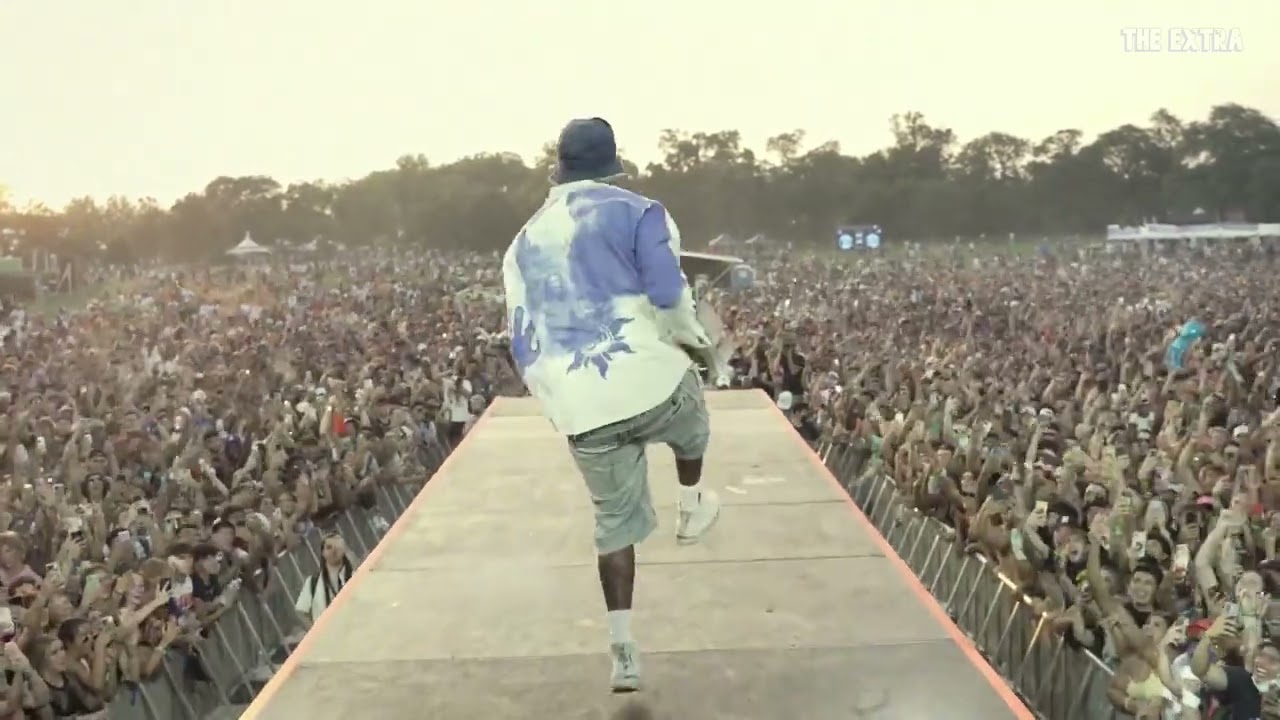
Lil Yachty Walk Out AI Video Generator
Lil Yachty Walk Out
Upload Your Photo
For the best likeness: one person per photo, face clearly visible from the front, good light, nothing covering the face (phone, sunglasses, hand). Upload the original photo, not a screenshot.
Resolution
Higher resolution uses more credits per generation.
By uploading or generating, you confirm you own these photos or have the person's permission, and you won't impersonate real people or celebrities. Responsible use
Quick answer
To do the Lil Yachty Walk Out trend, upload one clear photo where your face is easy to see, then press generate. imageat places you into the trend's original video, and the video is ready to download when it finishes. One generation costs 409 imageat credits; no prompt writing or editing app is needed.
The finished video places you at the center of the famous festival stage entrance. You stride out along the elevated catwalk toward a massive crowd, mirroring the viral stage entrance before transitioning across rapid match cuts. The edit carries you from festival grounds into diverse settings, including urban runways, medieval armor, and open green fields, all moving to the rhythm of the performance. Your uploaded selfie supplies your face and identity. The motion, camera angles, backdrops, rapid outfit swaps, and the source clip's sound come directly from the template. The result is a 30-second 4:3 video delivered in 480p or 720p.
What is the Lil Yachty Walk Out AI Video Generator?
The Lil Yachty Walk Out trend originates from rapper Lil Yachty's energetic stage entrance at the 2021 Lyrical Lemonade Summer Smash festival. Fans dubbed the strut down the catwalk the hardest walk out ever, turning the concert clip into a viral reaction meme and multi-era visual edit across TikTok, X, and Instagram. Creators replaced the performer with different pop culture figures and historical characters through rapid match cuts. The Lil Yachty Walk Out AI Video Generator on imageat lets you place your own face onto the performer in this 30-second timeline concert walkout using a single photo.
How to Do the Lil Yachty Walk Out Trend
Here is how to make your own video on imageat:
- 1Upload one clear, front-facing selfie with good lighting.
- 2Select your preferred resolution, either 480p or 720p.
- 3Click generate to map your facial features onto the performer across the montage.
- 4Download your finished 4:3 concert video and post it on TikTok, Instagram Reels, or X.
Tips for Best Results
- Use a sharp front-facing or slight three-quarter portrait with even lighting.
- Keep the face unobstructed; avoid sunglasses, hands over the face and group photos.
- Only your facial identity is transferred. The original costumes, hair and locations stay with their corresponding scenes.
- The rear-facing and dust-obscured shots intentionally hide the face. Review the visible close-ups to assess likeness.
- Use the full 4:3 frame to retain the city, audience and final visual effects.
Lil Yachty Walk Out AI Video Generator at a Glance
What to upload
Your selfie — one clear, well-lit face.
What you get
An AI video that follows the trend's original take, ready to download and post on TikTok, Reels or Shorts.
What it costs
409 imageat credits per video at 720p. The price is shown before you generate, and a failed generation is refunded.
FAQs About Lil Yachty Walk Out AI Video Generator
Create this trend with imageat
Go beyond the lil yachty walk out ai video generator — generate any AI video from text or an image with Veo, Kling, Seedance and more.