Mirror Muse AI Video Generator
Turn one photo into a mirror selfie video with hair flips, confident poses and natural phone-held movement. Add up to two optional photos of the same person.
Example results
Watch video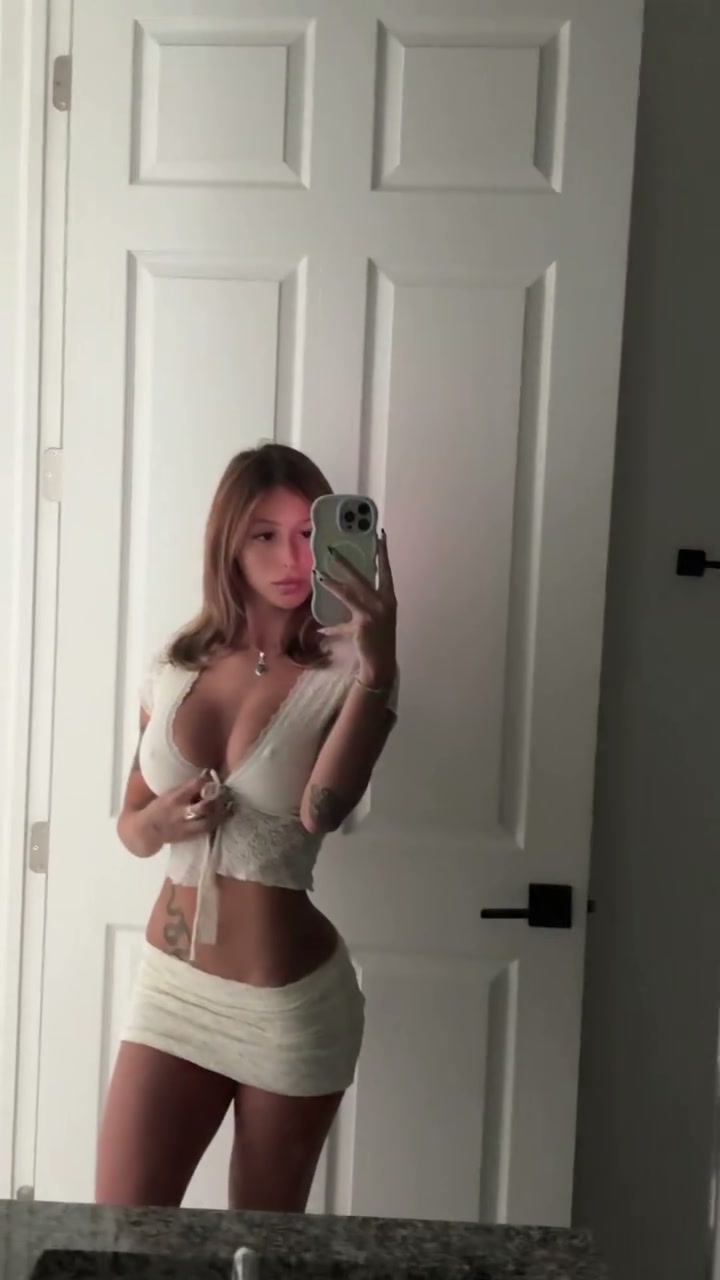
Mirror Muse AI Video Generator
Mirror Muse
Upload Your Photo
For the best likeness: one person per photo, face clearly visible from the front, good light, nothing covering the face (phone, sunglasses, hand). Upload the original photo, not a screenshot.
Resolution
Higher resolution uses more credits per generation.
By uploading or generating, you confirm you own these photos or have the person's permission, and you won't impersonate real people or celebrities. Responsible use
Quick answer
To do the Mirror Muse trend, upload 1 to 3 clear photos of the people you want in it, then press generate. imageat places the people from your photos into the trend's original video, and the video is ready to download when it finishes. One generation costs 109 imageat credits; no prompt writing or editing app is needed.
The finished result is a vertical mirror selfie video featuring you standing in front of an interior door and mirror. You hold a smartphone toward the glass, adjust your posture, tilt your head, and run your hand through your hair in a confident outfit check. Natural camera drift, phone angles, and realistic mirror reflections make the still photo appear as an authentic casual video recording. Your uploaded picture provides your facial features, skin tone, hair color, body proportions, and exact outfit. The template supplies the phone-held movement, choreography, room lighting, background, and the source clip's sound. Adding up to two extra photos of the same person gives the generator extra angles to keep your clothes and appearance consistent across the full 9:16 clip.
What is the Mirror Muse AI Video Generator?
Mirror selfies and aesthetic outfit check clips are staple formats across TikTok and Instagram Reels, often shared under captions like mirror muse or fit check. In these videos, creators pose in front of a mirror while holding their phone, touching their hair, and shifting their stance to display their look. The Mirror Muse AI Video Generator brings this aesthetic to life from a still portrait by applying the motion, hand gestures, and framing of a live mirror recording to your uploaded photo on imageat.
How to Do the Mirror Muse Trend
Here is how to make your own video on imageat:
- 1Upload a clear, well-lit photo showing your face and outfit.
- 2Add up to two optional photos of the same person from different angles to reinforce outfit details.
- 3Click generate to apply the mirror selfie motion to your image.
- 4Download your finished 9:16 video and share it to TikTok or Instagram Reels.
Tips for Best Results
- Use a sharp, well-lit photo with one person and an unobstructed face.
- A waist-up or full-body view helps communicate the outfit and proportions.
- Keep optional photos consistent: the same person, hairstyle and outfit.
- Avoid heavy filters and busy group photos. Review phone, fingers and reflections before posting.
Mirror Muse AI Video Generator at a Glance
What to upload
Your photo — clear face and outfit; Optional: another photo of the same person; Optional: another angle of the same person and outfit.
What you get
An AI video that follows the trend's original take, ready to download and post on TikTok, Reels or Shorts.
What it costs
109 imageat credits per video at 720p. The price is shown before you generate, and a failed generation is refunded.
FAQs About Mirror Muse AI Video Generator
Create this trend with imageat
Go beyond the mirror muse ai video generator — generate any AI video from text or an image with Veo, Kling, Seedance and more.