Product photography · Jewelry
AI Jewelry Product Photography
Upload a photo of a ring, necklace, earrings or a watch and place it on velvet, marble or a white catalogue set — with light described for polished metal and faceted stones rather than for a bottle or a box.
Your piece stays the reference · Presets for metal and stones · Saved to your history
The hard parts
Why jewelry is hard to photograph
A ring is small, reflective and full of tiny geometry. The presets below are written around those four problems, and the generator still needs you to check the result.
Polished metal is a mirror
A gold band reflects whatever surrounds it, so a cluttered scene shows up as smudges in the metal. The presets describe the surroundings — dark studio or soft white — so reflections read as clean gradients.
Stones need sparkle, not glare
Faceted stones come alive under small, hard highlights. Broad soft light makes them look glassy; too much light blows them out. Ask for small crisp specular highlights rather than a bright or sparkling look.
Scale is hard to read
On a plain backdrop a ring could be any size. A display pad, a fabric fold or a pebble gives the eye something to measure against, which is why most presets include one small prop.
Tiny details can shift
Prong count, stone cut, chain links, engravings and hallmarks are a few pixels wide in your upload, and the model may redraw them. Compare each setting against the original before you publish.
Scene presets
Jewelry scene presets
Each preset sets the scene, background and format in the generator above. The example brief goes into the description box — replace the metal and stone with your own.
Velvet Display
Product pages and social posts for rings and earrings
- Background
- Deep black
- Format
- 1:1
Example brief: On emerald green velvet, polished yellow gold, light from the upper left
Full prompt sent to the generator
Keep the product from the attached photo exactly as it is — same shape, proportions, colour, material, markings and packaging — and place it unchanged into a new scene, On emerald green velvet, polished yellow gold, light from the upper left, resting on a deep jewel-tone velvet display pad, soft directional light raking across the velvet pile, small crisp specular highlights on the metal and stones, dark surroundings so reflections stay clean, shallow depth of field, jewellery photography, controlled reflections and crisp specular highlights, macro detail, deep near-black background, no added text, no invented logos or labels, no watermark
Marble Flat Lay
Necklaces and bracelets that need room to lie flat
- Background
- Stone
- Format
- 4:5
Example brief: Chain curved into a loose S shape, a cream silk ribbon at the top edge
Full prompt sent to the generator
Keep the product from the attached photo exactly as it is — same shape, proportions, colour, material, markings and packaging — and place it unchanged into a new scene, Chain curved into a loose S shape, a cream silk ribbon at the top edge, overhead flat lay on honed white marble, the chain laid in a soft deliberate curve, even diffused daylight with a faint natural shadow, one small prop such as a silk ribbon kept to the edge of the frame, jewellery photography, controlled reflections and crisp specular highlights, macro detail, natural stone surface and softly blurred background, no added text, no invented logos or labels, no watermark
Macro Detail
A zoom or detail image for stones, settings and watch dials
- Background
- Deep black
- Format
- 1:1
Example brief: Close on the centre stone and its prongs, white gold, cool neutral light
Full prompt sent to the generator
Keep the product from the attached photo exactly as it is — same shape, proportions, colour, material, markings and packaging — and place it unchanged into a new scene, Close on the centre stone and its prongs, white gold, cool neutral light, extreme close-up macro framing on the setting and stones, very shallow depth of field, small hard light sources creating pinpoint sparkle in the facets, near-black background, crisp metal edges, jewellery photography, controlled reflections and crisp specular highlights, macro detail, deep near-black background, no added text, no invented logos or labels, no watermark
White Catalogue
Marketplace main images and catalogue grids
- Background
- Pure white
- Format
- 1:1
Example brief: Ring standing upright, sterling silver, true-to-life metal colour
Full prompt sent to the generator
Keep the product from the attached photo exactly as it is — same shape, proportions, colour, material, markings and packaging — and place it unchanged into a new scene, Ring standing upright, sterling silver, true-to-life metal colour, piece centred and filling most of the frame, soft even light from both sides with a white bounce so polished metal stays bright instead of turning grey, very soft contact shadow, jewellery photography, controlled reflections and crisp specular highlights, macro detail, pure white background suitable for a marketplace main image, no added text, no invented logos or labels, no watermark
Made with imageat
Jewelry styling, generated with imageat
These images were generated from the text prompts shown, to illustrate light and styling. They were not made from a customer's uploaded product — your results start from your own photo.
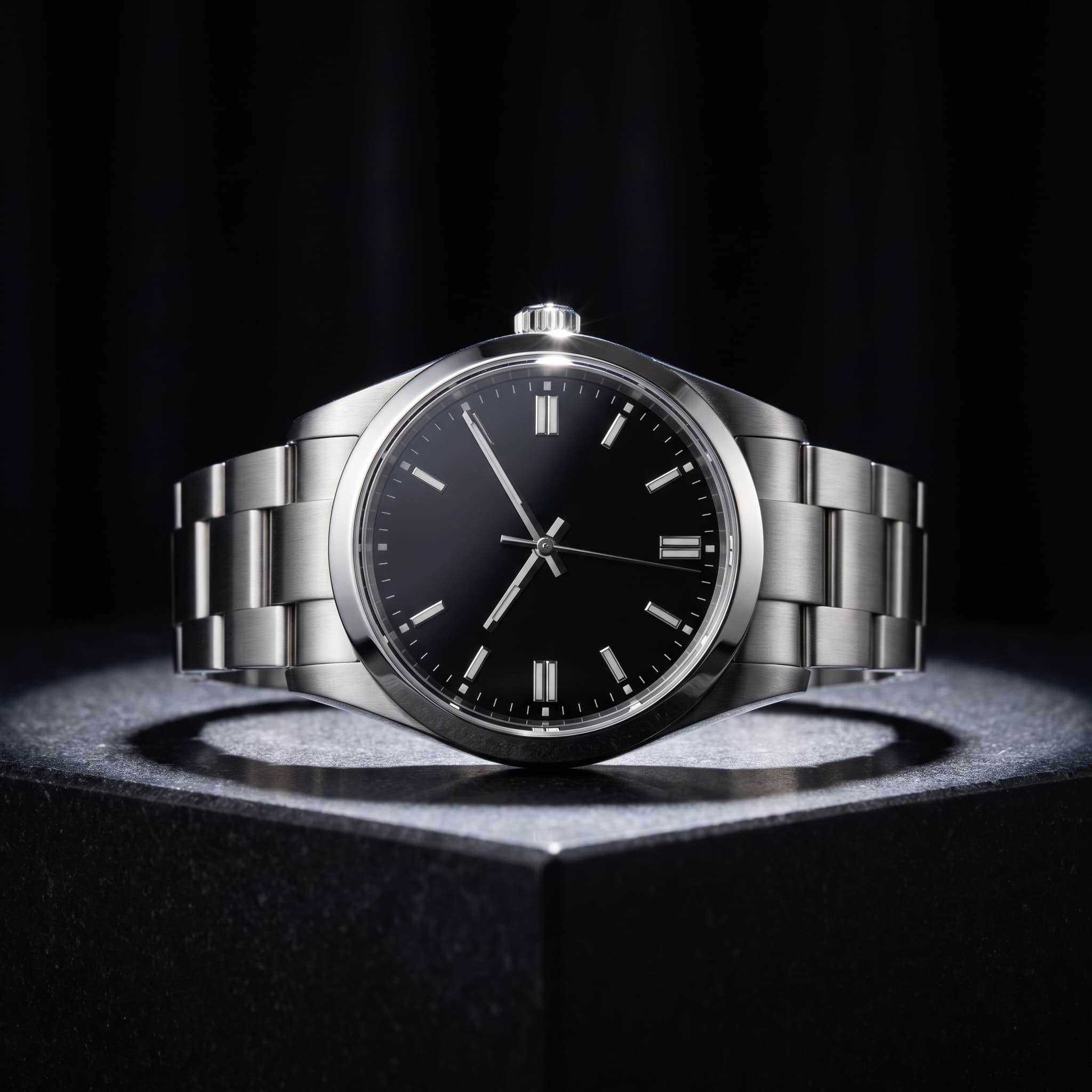
Watch on Dark Stone
Generated with imageat from the prompt shown
Prompt
An unbranded stainless steel wristwatch on a polished dark stone plinth, single dramatic key light from above with deep shadow falloff, near-black background, controlled specular highlights on the case and crystal, macro detail, luxury product photography, no text, no logos, no watermark
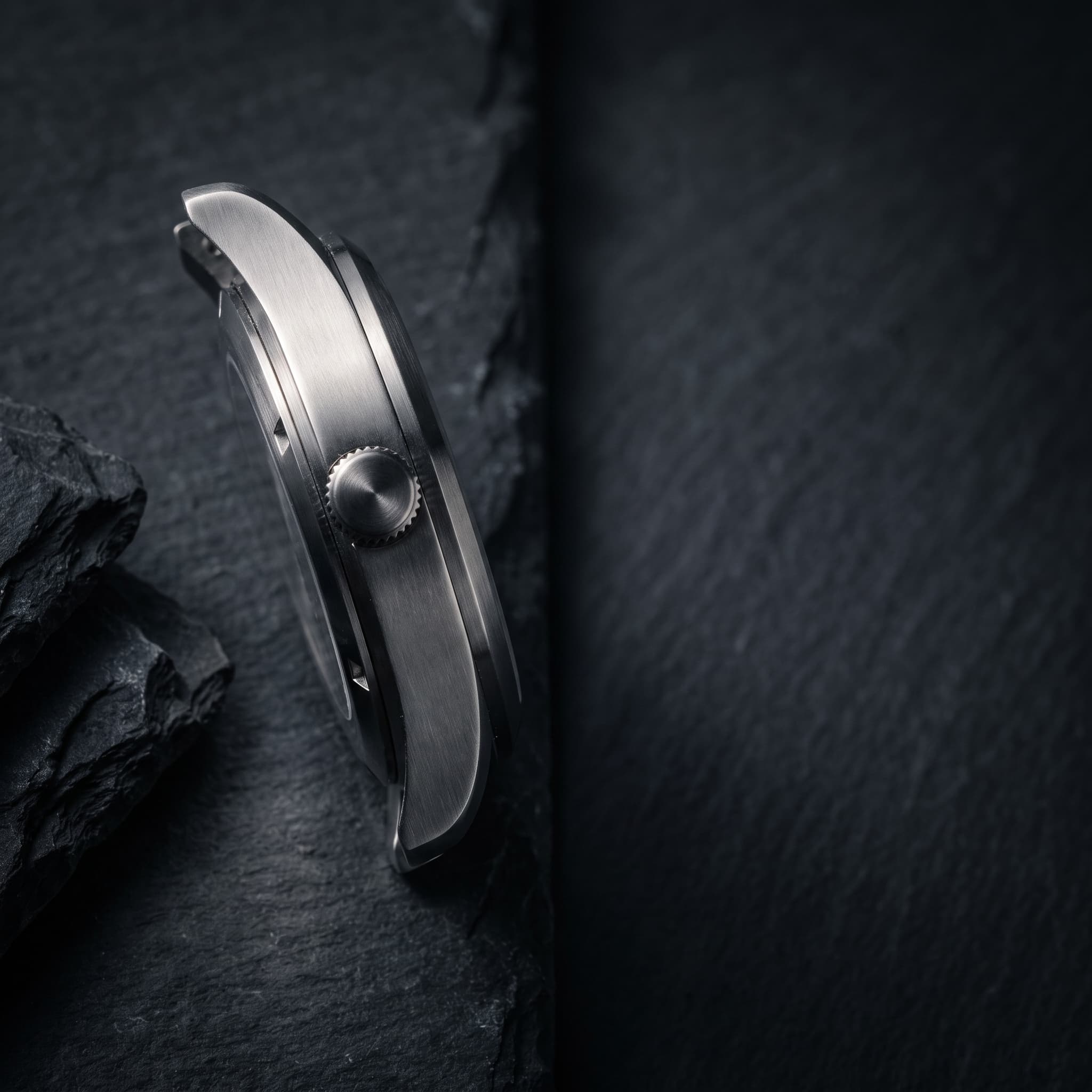
Feature Detail
Generated with imageat from the prompt shown
Prompt
A close detail frame of an unbranded stainless steel watch case and crown resting on dark slate, precise directional light raking across the brushed metal, controlled specular highlights, deep charcoal palette, product on the left with generous empty space on the right for a short annotation, luxury campaign photography, no text, no logos, no watermark
Prompt guide
Writing a jewelry brief
The words that change a jewelry result most are the ones about metal, light and surroundings.
Name the metal and its finish
“Polished 18k yellow gold”, “brushed sterling silver” or “rose gold with a matte band” tells the model how the light should sit on the surface, and helps keep the colour of the metal true.
Describe the surroundings, not only the surface
Reflections come from what is around the piece. “Dark studio surroundings” gives deep, controlled metal; “soft white surroundings” gives bright, airy metal.
Ask for small highlights
“Small crisp specular highlights” produces sparkle in facets. Words like “shiny” or “glowing” tend to add haze and bloom instead.
Upload one piece, sharply focused
Photograph it on plain matte card in diffuse daylight, close enough to fill the frame, with focus on the stones. Skip the hand holding it — fingers in the upload tend to end up in the result.
How it works
From a phone photo to a jewelry listing image
- 01
Photograph the piece on plain card
Lay or stand the piece on matte grey or white card near a window, fill the frame with it, and tap to focus on the stones. Avoid direct sun, which creates hot spots the generator may keep.
- 02
Pick a jewelry scene and name the metal
Choose Velvet Display, Marble Flat Lay, Macro Detail or White Catalogue above, then write the metal, finish and stone in the description box so the light is described for that material.
- 03
Check settings and stones, then download
Count prongs, compare stone shape and colour, and check chain links against your original. If a detail has changed, generate again or use your own photo for the detail shot, then download the PNG.
FAQ
Questions about AI jewelry photos
Does it work for rings and earrings, not only watches?
Yes. The generator works from whatever piece you upload — rings, earrings, pendants, bracelets or watches. Small pieces need the sharpest upload: get close enough that the piece fills most of the frame, so the model has real detail to keep.
Will it keep my stones, prongs and engraving exactly?
It keeps the overall form of a piece well, but small details are not guaranteed. Prong count, stone cut, chain links, engravings and hallmarks can be redrawn. Check each one against your original photo, and do not rely on generated images to show engraved text — use your own photo for that.
Why does my gold look too yellow, or my silver look grey?
Metal colour depends on the light and on what it reflects. Name the metal precisely, add “true-to-life metal colour, neutral white balance”, and avoid warm scenes for white metals. The White Catalogue preset adds a white bounce for exactly this reason.
Can I show a ring being worn on a hand?
You can describe a hand in the brief, but the presets are built for product-only shots and the result is less predictable: the fit, scale and finger position are invented, and the piece may be redrawn to fit the hand. If you use an on-hand image, check that the size of the piece looks right.
Which preset should I use for my Etsy or Amazon main image?
White Catalogue is the plain white-background option. Marketplaces set their own image rules — Amazon, for example, asks for a pure white background on the main image — so check the current guidelines for the platform you sell on and use the textured scenes for secondary images or social posts.
Generation uses the same credits as the AI product photo generator, and the panel shows the cost before you run it. To cut the product out of a messy photo first, use the AI background remover; to turn a finished shot into a campaign post, use the AI product post generator.
More product types
Scene presets for other products
Each product type has its own lighting problems. These pages carry presets written for them.
- AI Skincare Product PhotographySerums, creams, tubes and pump bottles on bathroom shelves, water, texture swatches and botanicals.
- AI Perfume Product PhotographyFragrance bottles on dark plinths, still water and silk, with props chosen from the scent's notes.
- AI Shoe Product PhotographySneakers, boots and heels in white profile, street, floating and trail scenes.
- AI Food Product PhotographyPackaged food, drinks and plated dishes on kitchen counters, table spreads, ice and picnics.
- All scenes in the product photo generatorOpens the main generator with jewelry already selected as the product type, plus the general studio, lifestyle and seasonal scenes.
Give every piece the same studio
Upload one photo of the piece, pick the jewelry scene that suits it, and keep generating until the metal and stones look right.