Product photography · Skincare
AI Skincare Product Photography
Upload a photo of a serum, cream jar, tube or pump bottle and place it on a bathroom shelf, in rippling water or beside a swatch of its texture — scenes written for frosted glass, matte plastic and the labels skincare is sold on.
Your packaging stays the reference · Label checks built in · Saved to your history
The hard parts
What makes skincare tricky to shoot
Skincare packaging carries regulated wording, comes in difficult materials, and has to suggest a texture the buyer cannot touch.
The label carries the claims
Ingredient names, SPF numbers and volumes sit on a small label, and generated lettering can change. Treat any re-rendered text as something to check line by line, and use your own photo wherever the wording matters.
Frosted and clear packaging
Frosted glass diffuses light into a soft glow; clear glass shows whatever sits behind it. Plain, light backgrounds keep both readable — a busy shelf behind a clear bottle turns into visual noise.
Texture sells the formula
Buyers want to see whether a product is a rich cream or a light gel. A swatch beside the pack shows that, but a generated swatch is an illustration, so describe your real texture accurately.
Clean without looking clinical
White packaging on a white set can look sterile. One natural material — stone, linen, water or a leaf — adds warmth without competing with the product.
Scene presets
Skincare scene presets
Each preset sets the scene, background and format in the generator above. Edit the example brief so it names your packaging and texture.
Bathroom Shelf
Lifestyle images for product pages and email
- Background
- In context
- Format
- 4:5
Example brief: Frosted glass dropper bottle on the shelf, a sprig of eucalyptus beside it
Full prompt sent to the generator
Keep the product from the attached photo exactly as it is — same shape, proportions, colour, material, markings and packaging — and place it unchanged into a new scene, Frosted glass dropper bottle on the shelf, a sprig of eucalyptus beside it, on a honed stone bathroom shelf with a folded cotton towel and a small ceramic dish, soft diffused window light, faint steam in the air, calm white and sage palette, cosmetic product photography, clean glass and matte surfaces, flattering even light, real environment behind the product, softly out of focus, no added text, no invented logos or labels, no watermark
Water Ripple
Hydration-led products and paid-social images
- Background
- Soft grey
- Format
- 1:1
Example brief: Pump bottle standing in still water, a few droplets on the shoulder
Full prompt sent to the generator
Keep the product from the attached photo exactly as it is — same shape, proportions, colour, material, markings and packaging — and place it unchanged into a new scene, Pump bottle standing in still water, a few droplets on the shoulder, standing in a shallow pool of clear water with gentle concentric ripples around the base, fine droplets on the packaging, cool soft overhead light, pale aqua and white palette, cosmetic product photography, clean glass and matte surfaces, flattering even light, soft neutral grey gradient background, no added text, no invented logos or labels, no watermark
Texture Swatch
Showing the consistency of creams, gels and balms
- Background
- Warm sand
- Format
- 4:5
Example brief: Beside a smooth swirl of rich white cream, open jar lid resting to the side
Full prompt sent to the generator
Keep the product from the attached photo exactly as it is — same shape, proportions, colour, material, markings and packaging — and place it unchanged into a new scene, Beside a smooth swirl of rich white cream, open jar lid resting to the side, beside a single smooth swatch of the product's texture spread across the surface, soft raking light picking out the sheen of the texture, pale neutral backdrop, swatch smaller than the product, cosmetic product photography, clean glass and matte surfaces, flattering even light, warm sand and ivory background, no added text, no invented logos or labels, no watermark
Botanical
Products built around a plant ingredient
- Background
- Stone
- Format
- 4:5
Example brief: Matte white tube lying at an angle, fresh green tea leaves around it
Full prompt sent to the generator
Keep the product from the attached photo exactly as it is — same shape, proportions, colour, material, markings and packaging — and place it unchanged into a new scene, Matte white tube lying at an angle, fresh green tea leaves around it, on pale stone with a few fresh green leaves and their soft shadows around the product, dappled daylight, fresh green and cream palette, leaves kept to the edges of the frame, cosmetic product photography, clean glass and matte surfaces, flattering even light, natural stone surface and softly blurred background, no added text, no invented logos or labels, no watermark
Made with imageat
Skincare styling, generated with imageat
These images were generated from the text prompts shown, to illustrate light and styling. They were not made from a customer's uploaded product — your results start from your own photo.
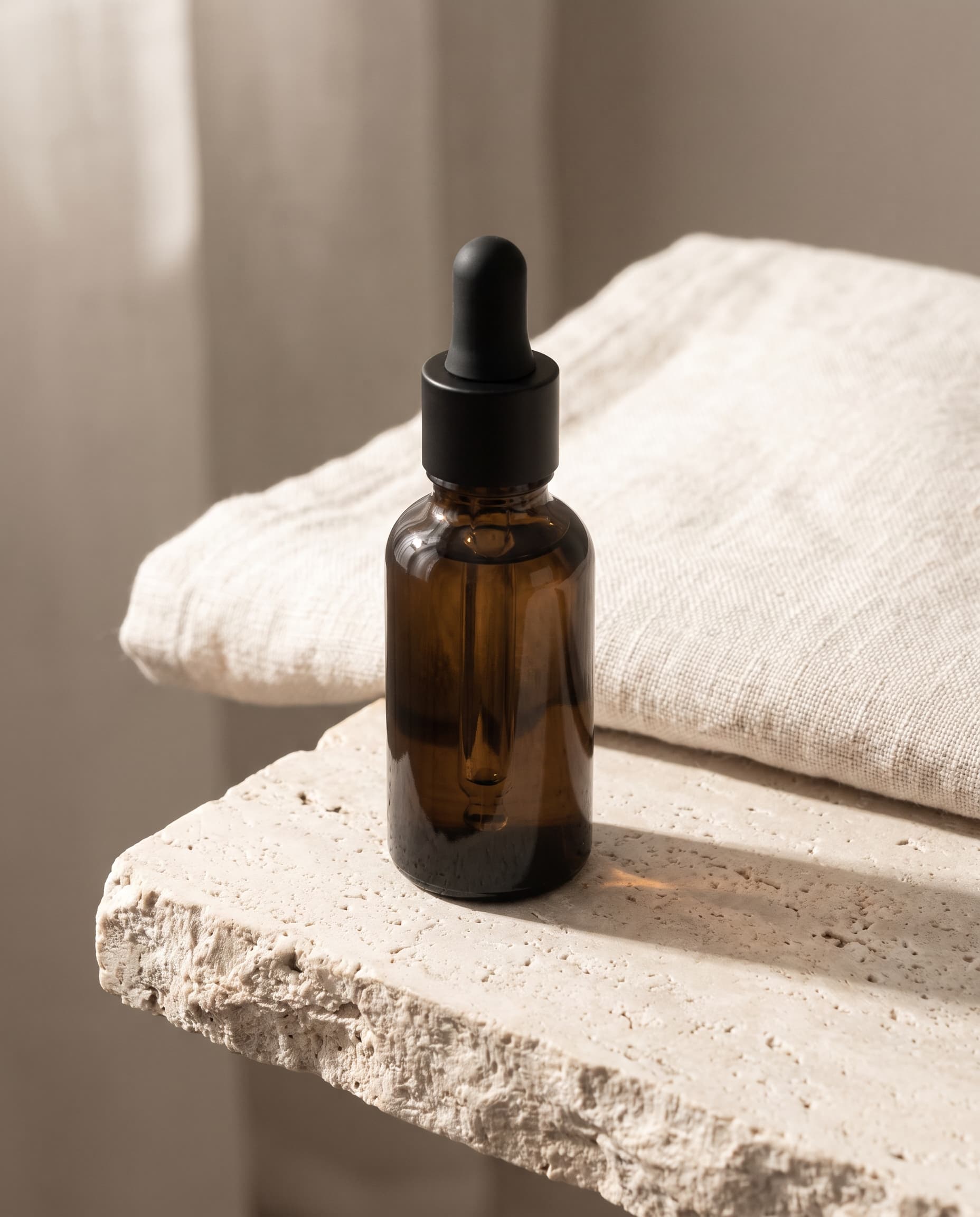
Serum on Travertine
Generated with imageat from the prompt shown
Prompt
An unbranded amber glass serum bottle with a matte black cap standing on a pale travertine ledge, a folded ivory linen towel just behind, soft morning light from the left, gentle contact shadow, muted sand and cream palette, commercial product photography, crisp detail, no text, no logos, no watermark
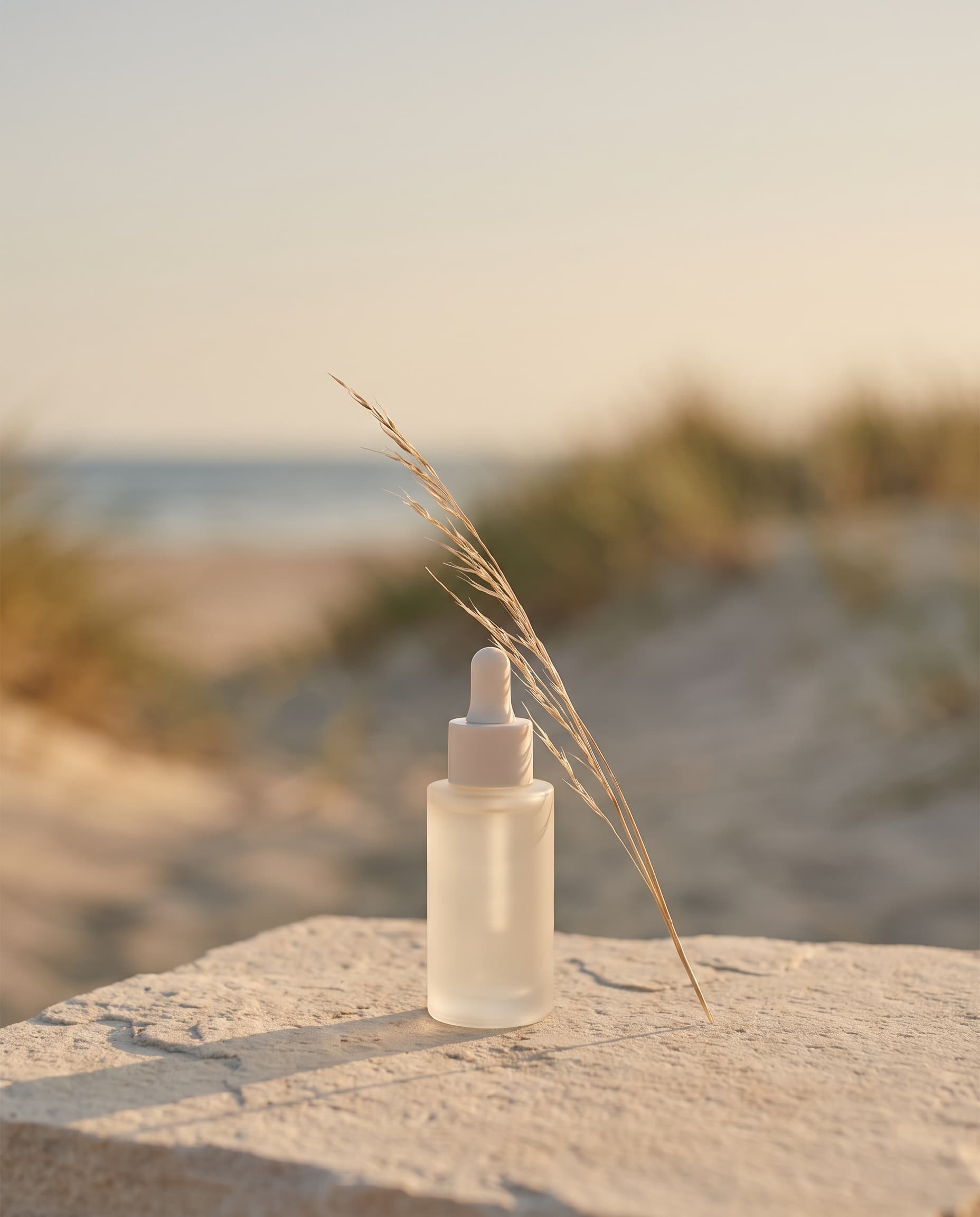
Summer Launch
Generated with imageat from the prompt shown
Prompt
An unbranded frosted glass serum bottle standing on pale coastal stone with a sprig of dried grass beside it, warm late-afternoon light from the left, muted sand and sea-glass palette, product centred low in the frame with a wide clear margin above for a headline, organic campaign photography, no text, no logos, no watermark
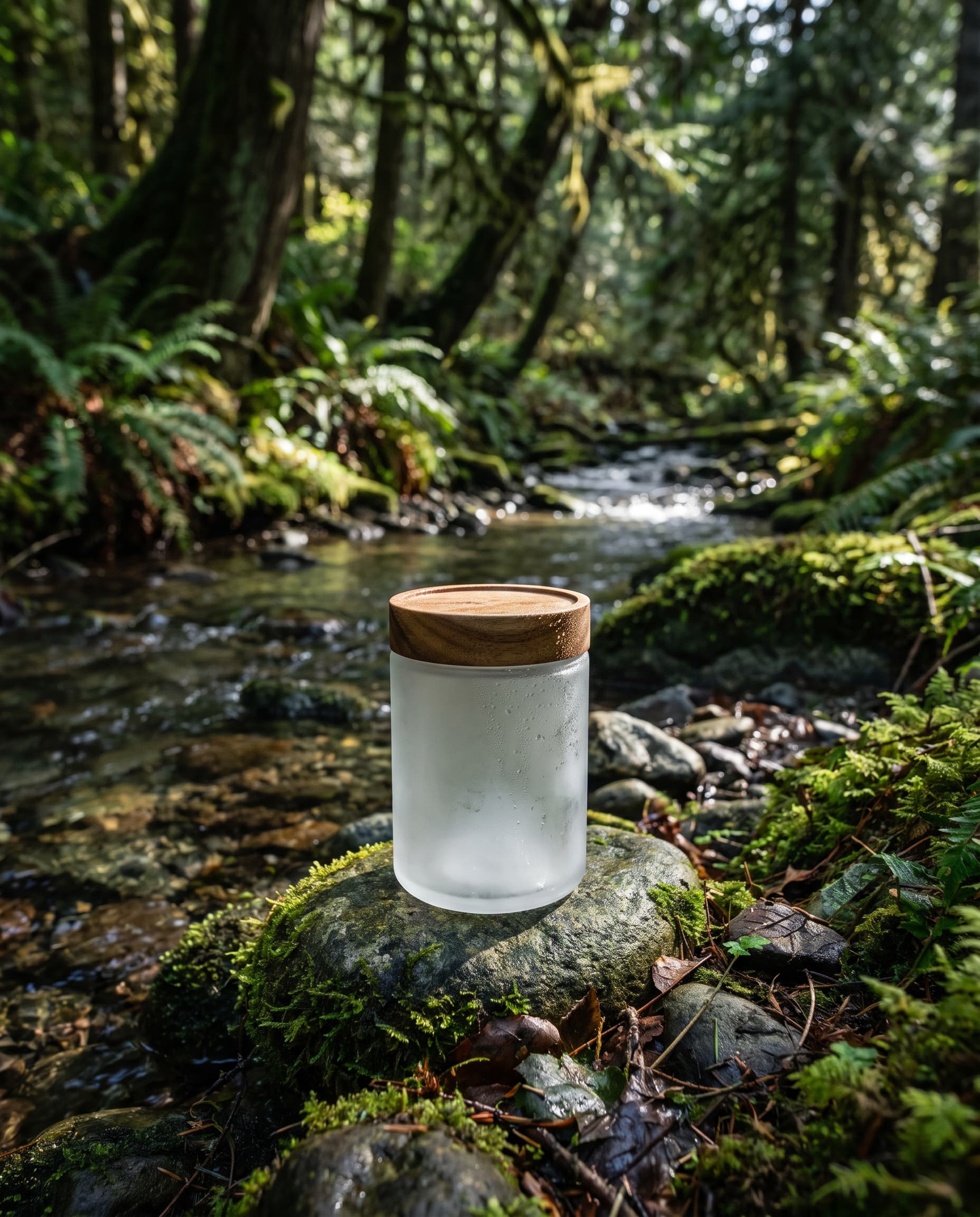
Jar by the Stream
Generated with imageat from the prompt shown
Prompt
An unbranded frosted glass jar with a wooden lid resting on a mossy stone beside a shallow forest stream, dappled daylight through leaves, fine water droplets on the glass, deep green and grey palette, fresh organic product photography, shallow depth of field, no text, no logos, no watermark
Prompt guide
Writing a skincare brief
Name the packaging, name the texture, and keep the props quiet.
Name the packaging material
“Frosted glass dropper bottle”, “matte white squeeze tube” or “amber glass jar with a bamboo lid” tells the model how light should behave on the pack.
Describe your real texture
If you use the Texture Swatch preset, write what the formula actually looks like — “translucent gel”, “thick whipped cream”, “golden facial oil”. A swatch that does not match the product misleads buyers.
Keep props smaller than the product
Leaves, towels and dishes should sit at the edges and stay smaller than the pack. Say so in the brief if a result crowds the product.
Upload with the label facing the camera
Shoot the front label straight on, in even light with no glare across the text. The generator can only keep lettering it can see clearly.
How it works
From a phone photo to a skincare product shot
- 01
Photograph the pack label-forward
Stand the product on a plain surface in soft window light, front label straight to camera, with no glare or reflections over the text. Wipe fingerprints off glass first.
- 02
Pick a skincare scene and name the texture
Choose Bathroom Shelf, Water Ripple, Texture Swatch or Botanical above, then describe the packaging and, for swatches, the real texture of the formula.
- 03
Proofread the label, then download
Read every line of the generated label against your original — ingredient names, SPF and volume included. If anything has changed, generate again or use your own photo, then download the PNG.
FAQ
Questions about AI skincare photos
Will the generated image keep my ingredient list and claims?
Not reliably. The model works from your photo, but small printed text can be redrawn, misspelled or blurred. Large brand names usually hold up better than fine print. Proofread every generated label, and use your own packaging photo wherever regulated wording such as SPF or ingredient lists must be legible.
Can I show the texture of my cream or serum?
Yes — the Texture Swatch preset adds a swatch beside the pack. The swatch is generated, not photographed, so describe your formula's real colour and consistency in the brief and make sure the result is a fair picture of what the buyer will receive.
Does it work for tubes, jars and pump bottles?
Yes. Upload the pack the way you want it to appear — a tube lying flat, a jar with the lid off, a pump bottle upright — because the generator keeps the angle of your photo rather than inventing a new one.
Can I photograph a whole routine or product range together?
The generator takes one uploaded photo per run. For a range shot, photograph the products together in one frame and upload that. The more items in the photo, the more small details there are to check afterwards.
Can I generate before-and-after skin results?
This tool makes product photography, not skin results. A generated before-and-after would show an effect the product has not been shown to produce, so we recommend against it — use real, documented results for any efficacy imagery.
Generation uses the same credits as the AI product photo generator, and the panel shows the cost before you run it. To cut the product out of a messy photo first, use the AI background remover; to turn a finished shot into a campaign post, use the AI product post generator.
More product types
Scene presets for other products
Each product type has its own lighting problems. These pages carry presets written for them.
- AI Jewelry Product PhotographyRings, necklaces, earrings and watches on velvet, marble and macro sets lit for metal and stones.
- AI Perfume Product PhotographyFragrance bottles on dark plinths, still water and silk, with props chosen from the scent's notes.
- AI Shoe Product PhotographySneakers, boots and heels in white profile, street, floating and trail scenes.
- AI Food Product PhotographyPackaged food, drinks and plated dishes on kitchen counters, table spreads, ice and picnics.
- All scenes in the product photo generatorOpens the main generator with skincare already selected as the product type, plus the general studio, lifestyle and seasonal scenes.
Shoot the whole range from your desk
Upload one pack, pick a skincare scene, and proofread the label on every result before it goes live.