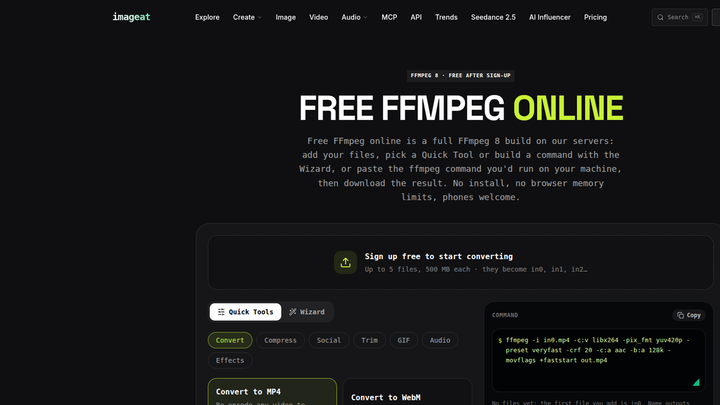
An FFmpeg API runs your media command on managed infrastructure: submit input URLs and output options, receive a job ID, then poll or accept a webhook for the result. With imageat, developers can use real FFmpeg 8 without packaging binaries, provisioning workers, or maintaining a video-processing queue.
This guide shows the complete async flow with curl and Node.js using imageat’s current API contract.
Why run FFmpeg in the cloud?
FFmpeg itself is powerful, but operating it in production is more than calling a binary. A self-hosted service must install a compatible build and keep codecs, filters, and system libraries consistent across development, CI, and production.
Video jobs also have uneven resource profiles. A short remux may finish quickly, while a high-resolution transcode can occupy CPU and memory for minutes. Scaling workers for that variability means managing queues, concurrency, autoscaling, and backpressure.
HTTP infrastructure adds another problem: timeouts. A synchronous request can outlive a gateway, function, or load-balancer limit even when FFmpeg is still working correctly. Long-running commands therefore need an asynchronous job layer.
Disk management matters too. Workers must download inputs, reserve temporary space, isolate concurrent jobs, upload outputs, and clean up after success, failure, or cancellation. Large files can fill a node unexpectedly if those controls are incomplete.
An FFmpeg API from imageat moves those concerns behind one managed endpoint. Your application still controls FFmpeg options, but imageat handles execution, job state, output hosting, and worker capacity.
How an asynchronous FFmpeg API works
The production pattern is create → wait → consume:
- Send
POST /v1/ffmpeg/processwith one or more inputs and outputs. - Receive HTTP
202with an asynchronous job. - Read the job’s
id. - Poll
GET /v1/ffmpeg/jobs/{id}, or providewebhook_urland wait for delivery. - When
statusissucceeded, copy the output from its returned CDN URL. - When
statusisfailed, inspecterrorand the FFmpeglog.
The documented statuses are queued, running, succeeded, and failed. This design keeps your web request short and lets a background process handle completion.
Polling is simplest for a CLI, internal tool, or low-volume integration. Webhooks are preferable for production pipelines because they avoid repeated status requests and can resume work as soon as a job terminates. A robust system can use both: accept webhooks normally, then reconcile jobs by polling if a delivery is delayed.
Current imageat FFmpeg API behavior
The live imageat API documentation specifies Bearer authentication:
http
Authorization: Bearer iat_live_...
Create an API key from the imageat Projects page and keep it server-side. Keys can begin with iat_live_ for production or iat_test_ for sandbox use.
The current service runs FFmpeg 8 and supports up to five inputs and five outputs per job. Public URL inputs can be up to 500 MB. The docs also describe upload_id inputs, created through POST /v1/ffmpeg/uploads, for private files up to 2 GB.
URL inputs are made available to FFmpeg as in0.<ext>, in1.<ext>, and so on, with extensions derived from their paths. Structured output names follow out.<ext> or out-name.<ext>. You can submit structured outputs[].options, as this guide does, or a complete command string.
For safety, the service rejects URLs inside commands, absolute paths, movie/amovie, filter scripts, and HLS, DASH, or tee outputs. The documented account limit is five running jobs.
Output URLs remain valid for 24 hours, while the underlying files are retained for seven days. Download or copy a completed output promptly rather than treating its signed URL as permanent storage.
Create an FFmpeg job with curl
The following request scales a public video to 720 pixels high, encodes H.264 video, and writes AAC audio. options is an array of individual FFmpeg arguments; keeping each flag and value separate avoids shell parsing ambiguity.
bash
export IMAGEAT_API_KEY='iat_live_replace_me'

curl --fail-with-body -X POST \
  'https://api.imageat.com/v1/ffmpeg/process' \
  -H "Authorization: Bearer $IMAGEAT_API_KEY" \
  -H 'Content-Type: application/json' \
  --data-binary '{
    "inputs": [
      {"url": "https://example.com/clip.mov"}
    ],
    "outputs": [
      {
        "name": "out.mp4",
        "options": [
          "-vf", "scale=-2:720",
          "-c:v", "libx264",
          "-crf", "23",
          "-c:a", "aac"
        ]
      }
    ],
    "timeout_seconds": 600,
    "webhook_url": "https://your.app/hooks/ffmpeg"
  }'
The endpoint returns HTTP 202 with the job. Save its id; do not wait for the output in the create request.
timeout_seconds controls the allowed runtime. The current docs say a job initially holds the price of timeout_seconds plus two minutes—so the default 600-second timeout holds $0.12—and returns the unused amount when execution ends. This is a temporary balance hold, not necessarily the final charge.
Poll job status with curl
Replace the sample ID with the id from the create response:
bash
JOB_ID='ff_9Qm3...'

curl --fail-with-body \
  "https://api.imageat.com/v1/ffmpeg/jobs/$JOB_ID" \
  -H "Authorization: Bearer $IMAGEAT_API_KEY"
A successful terminal response is documented in this form:
json
{
  "id": "ff_9Qm3...",
  "object": "ffmpeg.job",
  "status": "succeeded",
  "outputs": [
    {
      "name": "out.mp4",
      "bytes": 21402331,
      "url": "https://..."
    }
  ],
  "run_seconds": 18.6,
  "price_usd": 0.03
}
Poll with a delay—two to five seconds is a reasonable application policy—rather than in a tight loop. Stop only on succeeded or failed. Treat network errors as retryable, and set your own overall deadline so a lost client process does not wait forever.
Complete Node.js create-and-poll example
This example uses the built-in fetch available in current Node.js releases, so no package is required. It validates HTTP responses, creates the job, waits between polls, and surfaces the server’s FFmpeg error details.
js
const API_BASE = "https://api.imageat.com/v1";
const apiKey = process.env.IMAGEAT_API_KEY;

if (!apiKey) {
  throw new Error("Set IMAGEAT_API_KEY before running this script");
}

const headers = {
  Authorization: `Bearer ${apiKey}`,
  "Content-Type": "application/json",
};

async function request(path, options = {}) {
  const response = await fetch(`${API_BASE}${path}`, {
    ...options,
    headers: { ...headers, ...options.headers },
  });

  const body = await response.json().catch(() => null);
  if (!response.ok) {
    throw new Error(
      `imageat API ${response.status}: ${JSON.stringify(body)}`
    );
  }
  return body;
}

const created = await request("/ffmpeg/process", {
  method: "POST",
  body: JSON.stringify({
    inputs: [{ url: "https://example.com/clip.mov" }],
    outputs: [
      {
        name: "out.mp4",
        options: [
          "-vf", "scale=-2:720",
          "-c:v", "libx264",
          "-crf", "23",
          "-c:a", "aac",
        ],
      },
    ],
    timeout_seconds: 600,
  }),
});

if (!created.id) throw new Error("Create response did not contain a job id");
console.log(`Created ${created.id}`);

let job;
for (;;) {
  job = await request(`/ffmpeg/jobs/${encodeURIComponent(created.id)}`, {
    method: "GET",
  });

  console.log(`${job.id}: ${job.status}`);
  if (job.status === "succeeded") break;
  if (job.status === "failed") {
    throw new Error(
      `FFmpeg failed: ${job.error ?? "unknown error"}\n${job.log ?? ""}`
    );
  }

  await new Promise((resolve) => setTimeout(resolve, 3000));
}

for (const output of job.outputs ?? []) {
  console.log(`${output.name}: ${output.url}`);
}
In a production worker, also cap the number of polling attempts and persist the job ID before polling. That makes the workflow recoverable after a deploy or process restart.
Use a webhook instead of polling
Include a public HTTPS webhook_url in the create body, as shown in the curl request. imageat sends the terminal job to that endpoint when processing succeeds or fails.
The terminal job payload uses the same documented job fields shown by polling. A successful delivery therefore contains a payload shaped like this:
json
{
  "id": "ff_9Qm3...",
  "object": "ffmpeg.job",
  "status": "succeeded",
  "outputs": [
    {"name": "out.mp4", "bytes": 21402331, "url": "https://..."}
  ],
  "run_seconds": 18.6,
  "price_usd": 0.03
}
A failed job has status: "failed" and includes error and log. The current FFmpeg documentation does not specify a separate event envelope or a webhook-signature field, so do not build against undocumented event, data, or signature properties. Restrict the endpoint, validate JSON and expected fields, make processing idempotent by id, return a fast 2xx response, and poll the job with your API key before sensitive downstream actions if independent verification is required.
A minimal Node.js handler can route terminal states without assuming extra fields:
js
export async function handleFfmpegWebhook(request) {
  const job = await request.json();

  if (job?.object !== "ffmpeg.job" || !job.id) {
    return new Response("Invalid payload", { status: 400 });
  }

  if (job.status === "succeeded") {
    await enqueueOutputImport(job.id, job.outputs ?? []);
  } else if (job.status === "failed") {
    await recordFailure(job.id, job.error, job.log);
  } else {
    return new Response("Not terminal", { status: 422 });
  }

  return new Response("ok", { status: 200 });
}
enqueueOutputImport and recordFailure represent your own durable queue or database functions. Keep heavy downloading and post-processing out of the webhook request itself.
Understand FFmpeg cloud pricing
Cloud video APIs commonly meter compute in one of two ways. A GB-second model multiplies memory allocation by execution time, which can be precise but requires workload estimates. A per-started-minute model is easier to forecast from observed runtime, although minute rounding and minimum charges matter for short jobs.
imageat currently charges $0.01 per started minute of run time, with a $0.03 minimum per job. A successful 18.6-second run therefore costs the $0.03 minimum, matching the documented response example. Failures under one minute are free. Billing comes from the prepaid API balance, which can be topped up from $10 without a plan.
Separate the temporary timeout-based balance hold from the final price_usd. For cost controls, choose a realistic timeout_seconds, inspect run_seconds and price_usd, reject unexpectedly large inputs before submission, and test command changes on representative media.
Frequently asked questions
Is this “FFmpeg as a service” or a limited transcoding preset?
It is FFmpeg as a service. imageat supports structured options per output or a full command string, subject to documented sandbox restrictions. The available FFmpeg 8 build includes common video, audio, subtitle, normalization, and overlay capabilities.
Can one job use multiple files?
Yes. A job can have up to five inputs and five outputs. Input order determines names such as in0.mp4 and in1.srt, which is useful for subtitle burn-in, overlays, and multi-input operations.
Should I poll or use a webhook?
Use polling for simple tools and development. Use a webhook for production event-driven pipelines, and retain polling as a recovery path. In either case, persist the job ID and make completion handling idempotent.
How long can I use an output URL?
The signed output URL lasts 24 hours, while the file is retained for seven days. Copy successful outputs to storage you control as soon as possible.
What happens when an FFmpeg job fails?
The job reaches failed and includes error plus the FFmpeg log. Failures under one minute are free under the current pricing rules. Log the job ID and diagnostic fields, then retry only errors that are plausibly transient.
Do I need to install FFmpeg in my application?
No. Your server sends HTTPS requests and handles JSON responses. The managed worker runs FFmpeg, so your application does not need the binary, codecs, local scratch disk, or a dedicated transcoding fleet.
Start building with the imageat FFmpeg API and move your next video job off your servers.