C-Walk Dance Video: Do the Crosswalk C-Walk From One Photo
Upload a full-body photo and recreate the C-Walk footwork.
Preview
Watch video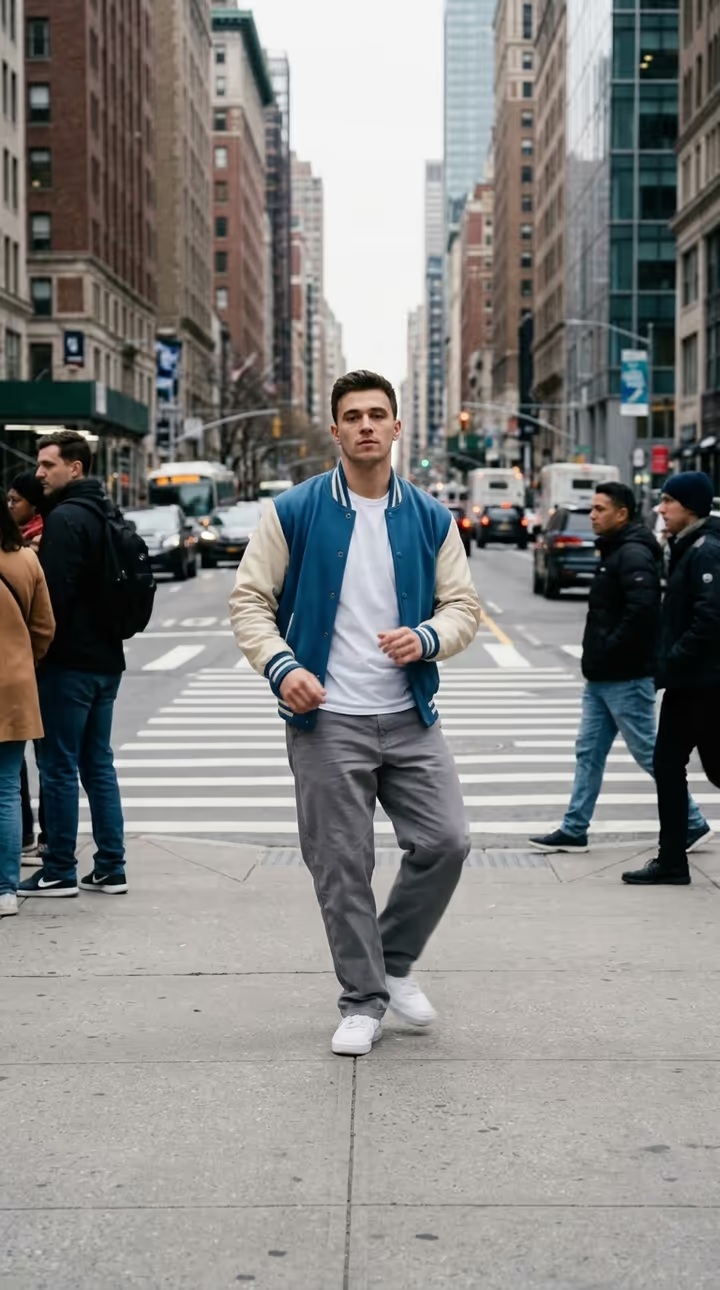 Illustrative style example
C-Walk
C-Walk
Upload Your Photo
Upload one full-body photo of one person: head and both feet visible, room around the arms and legs. Your face, hair, body, outfit and shoes are used; the street, footwork and sound come from the clip. Likeness depends on the photo and is not guaranteed.
Resolution
8.2s · portrait 528×800 · source audio. Higher resolution uses more credits per generation.
8.2s · portrait 528×800 · source audio
By uploading or generating, you confirm you own these photos or have the person's permission, and you won't impersonate real people or celebrities. Responsible use
Quick answer
To do the C-Walk trend, upload one clear photo where your face is easy to see, then press generate. imageat places you into the trend's original video, and the video is ready to download when it finishes. One generation costs 123 imageat credits; no prompt writing or editing app is needed.
C-Walk puts you on a Midtown crosswalk doing the classic footwork. The source dancer runs heel-toe shuffles, V-steps, crossovers and quick turns in front of yellow cabs with the Empire State Building behind him. Upload one full-body photo and Genjutsu motion transfer swaps him for you, in your own outfit and shoes, while the street and the timing stay as they were. Your photo decides who appears: face, hair, body, outfit and shoes. The clip decides the steps, their timing, the camera, the street and the original sound. The video runs 8.2 seconds in the source's portrait frame so your feet stay in shot; choose 480p for a lower-credit draft or 720p for a sharper result.
What is the C-Walk?
The C-Walk is a West Coast footwork dance that went global through hip-hop and keeps resurfacing on TikTok and Reels. Short clips of someone C-Walking somewhere unexpected, like the middle of a city crosswalk, are a recurring trend. This page recreates one of those clips with you as the dancer from a single full-body photo.
How to Do the C-Walk Trend
Here is how to make your own video on imageat:
- 1Upload one full-body photo of one person with head and both feet visible. JPG, PNG or WEBP, up to 10 MB.
- 2Choose 480p or 720p and check the credit cost shown.
- 3Generate the video.
- 4Preview and download your C-Walk clip with the original sound.
What comes from your photo and from the clip
From your photo: face, skin tone, hair, body proportions, outfit and shoes. From the clip: every step and turn with its timing, the crosswalk, the traffic, the buildings, the camera and the audio. The street in the clip replaces the background of your photo.
About the media on this page
The video is the source reference footage the template follows, and the still image is an illustrative style example. Neither is a result made from someone's upload on imageat. Fast footwork can blur the feet for a moment, and baggy clothes hide the steps more than fitted ones. C-Walk is an independent AI template; imageat is not affiliated with or endorsed by the dancer in the source footage.
Tips for Best Results
- Full body, head to feet, standing upright and facing the camera.
- Shoes clearly visible; the footwork is what people watch.
- One person per photo, nothing covering the legs.
- Only upload photos of people who have agreed to it.
C-Walk at a Glance
What to upload
Your photo — one person, full body, head and both feet visible.
What you get
An AI video (8.2s · portrait 528×800 · source audio) that follows the trend's original take, ready to download and post on TikTok, Reels or Shorts.
What it costs
123 imageat credits per video at 720p. The price is shown before you generate, and a failed generation is refunded.
FAQs About C-Walk
Create this trend with imageat
Go beyond the c-walk — generate any AI video from text or an image with Veo, Kling, Seedance and more.