Don't You Dare Christmas AI Video: Star in a 90s Snowball Romance
Upload two photos and star as the couple in a 90s-style Christmas romance: one in the black fur coat with the gift boxes, one in the grey overcoat, teasing each other into a snowball fight under the city lights. Same shots, snow and original sound. 29 seconds, vertical 9:16.
Example results
Watch video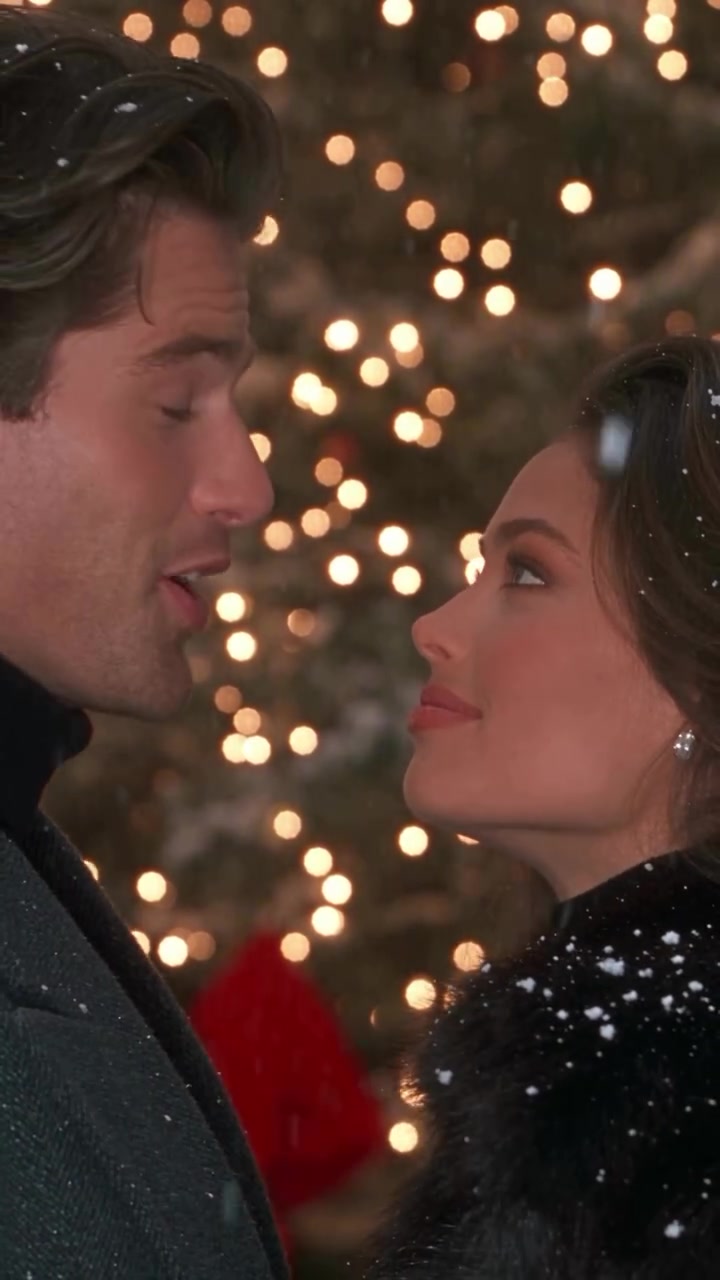
Don't You Dare Christmas AI Video
Don't You Dare Christmas AI Video
Upload Your Photo
Upload one clear, front-facing photo per slot, one person each: Person 1 plays the one in the black fur coat carrying the gift boxes, Person 2 plays the one in the long grey overcoat. Anyone can play either part. Likeness depends on the photos and is not guaranteed.
Resolution
29 seconds · 9:16 vertical. Higher resolution uses more credits per generation.
29 seconds · 9:16 vertical
By uploading or generating, you confirm you own these photos or have the person's permission, and you won't impersonate real people or celebrities. Responsible use
Quick answer
To do the Don't You Dare Christmas trend, upload 2 clear photos of the people you want in it, then press generate. imageat places the people from your photos into the trend's original video, and the video is ready to download when it finishes. One generation costs 268 imageat credits; no prompt writing or editing app is needed.
Don't You Dare Christmas AI puts two people into a 90s-style Christmas romance. On a snowy city plaza lined with lights, one person in a long black fur coat carries a stack of red-ribboned gift boxes beside a partner in a long grey overcoat. They tease each other, one makes a run for it, and a snowball fight breaks out past the Christmas trees and a giant wreath, ending face to face under the lights. Upload two photos, one for the person in the fur coat and one for the person in the overcoat: you and your partner, a friend or anyone you like. Your photos supply each person's face, hair and skin tone; the reference supplies the coats and gifts, the snow, every shot and camera move, the snowball fight and the original sound. The video runs 29 seconds, vertical 9:16, at 480p or 720p.
What is the Don't You Dare Christmas AI Video?
The Don't You Dare Christmas AI Video is a holiday social media trend inspired by classic 1990s romantic comedies. Clips shared on TikTok and Instagram feature a playful winter encounter between two lovers, often dubbed Jasper and Emily. One holds a stack of red-ribboned gift boxes in a black fur coat while the other walks alongside in a grey overcoat, trading banter before breaking into a teasing snowball fight across a snowy city plaza lined with lights. People share these clips as seasonal couple edits and festive romance sketches. On imageat, you can make your own video by uploading two photos to place yourself and a partner into the scene.
Don't You Dare Christmas AI Video on TikTok
Popular posts of the trend, credited to their creators. The videos play from TikTok.
How to Do the Don't You Dare Christmas Trend
Here is how to make your own video on imageat:
- 1Upload person 1: a clear, well-lit photo of the person who plays the one in the black fur coat with the gift boxes.
- 2Upload person 2: a second photo of the person who plays the one in the long grey overcoat.
- 3Choose 480p or 720p: 480p is the default and costs less; 720p is sharper and holds faces better in the close-ups. The length and frame are fixed.
- 4Generate and download: check the faces, then download the MP4.
Who plays whom
Photo 1 is the one in the long black fur coat, carrying the gift boxes and starting the snowball fight. Photo 2 is the one in the long grey overcoat, walking alongside and chasing after. Anyone can play either part, whatever their gender.
What comes from your photos and from the reference
From the photos: each person's face, hair, skin tone and build. From the reference: the coats and gift boxes, the snowy plaza with its lights, trees and wreath, every cut and camera move, the expressions and the snowball fight. The original audio is kept; no new voice is generated.
Photo tips
Use one person per photo, facing the camera, sharp and well lit. Head-and-shoulders works well because the coats come from the scene. Avoid sunglasses, hats, heavy filters, strong backlight and group photos.
Likeness in the close-ups
Keeping each face recognizable is a target, not a guarantee. With fast cuts, falling snow and quick turns, likeness can drift for a moment, and hair length can follow the original scene even when the colour and face come from your photo.
About the videos on this page
The sample output is a real 480p result made with two AI-generated faces of fictional people. The source preview and poster are the reference footage, not a generated result. Don't You Dare Christmas AI Video is an independent AI template, not affiliated with or endorsed by the people in the source footage or its creator.
Tips for Best Results
- One person per photo, facing the camera, sharp and well lit.
- Put the person in the fur coat in slot 1 and the person in the overcoat in slot 2.
- Start at 480p to check your photos, then step up to 720p for sharper close-ups.
- Only upload faces you own or have permission to use.
Don't You Dare Christmas AI Video at a Glance
What to upload
Person 1 — in the black fur coat; Person 2 — in the grey overcoat.
What you get
An AI video (29 seconds · 9:16 vertical) that follows the trend's original take, ready to download and post on TikTok, Reels or Shorts.
What it costs
268 imageat credits per video at 720p. The price is shown before you generate, and a failed generation is refunded.
FAQs About Don't You Dare Christmas AI Video
Create this trend with imageat
Go beyond the don't you dare christmas ai video — generate any AI video from text or an image with Veo, Kling, Seedance and more.