Gas Station Car Swap AI Video Generator
Put your car into a cinematic nighttime gas-station edit. Upload 1–4 photos of the same vehicle and create a 10-second vertical video with Higgsfield Genjutsu Objects Swap.
Example results
Watch video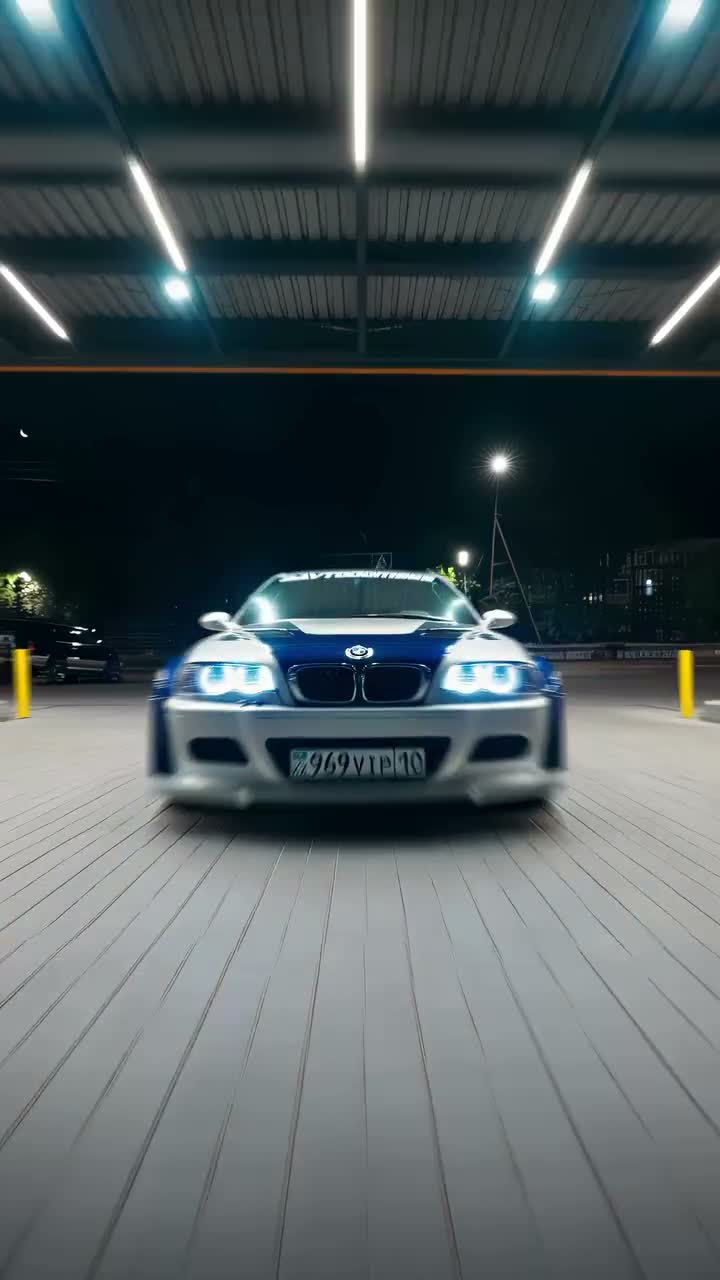
Gas Station Car Swap AI Video Generator
Gas Station Car Swap
Upload Your Photo
For the best likeness: one person per photo, face clearly visible from the front, good light, nothing covering the face (phone, sunglasses, hand). Upload the original photo, not a screenshot.
Resolution
Higher resolution uses more credits per generation.
By uploading or generating, you confirm you own these photos or have the person's permission, and you won't impersonate real people or celebrities. Responsible use
Quick answer
To do the Gas Station Car Swap trend, upload 1 to 4 clear photos of the people you want in it, then press generate. imageat places the people from your photos into the trend's original video, and the video is ready to download when it finishes. One generation costs 137 imageat credits; no prompt writing or editing app is needed.
The final result is a cinematic nighttime automotive edit featuring your vehicle rolling through a brightly lit gas station. Your car moves forward beneath linear canopy lights on smooth pavement, captured from a low tracking camera angle with sharp reflections across the bodywork and windshield. Your uploaded photos supply the vehicle's body shape, paint finish, wheels, and front grille. The template provides the camera path, surrounding gas station, ambient night lighting, pacing, and the source clip's sound. The result is a 10-second vertical video formatted for mobile feeds, replacing the template coupe with your own ride.
What is the Gas Station Car Swap AI Video Generator?
Gas station car edits are a staple of automotive culture on TikTok, Instagram Reels, and YouTube Shorts. Enthusiasts film slow rollouts under bright canopy lights at night, using the forecourt illumination to showcase paint gloss, custom wheels, and body lines. The gas station car swap trend puts any vehicle into that signature scene using still reference pictures. On imageat, you upload photos of your car, and the generator replaces the template vehicle while matching the surrounding reflections, night lighting, and camera movement.
How to Do the Gas Station Car Swap Trend
Here is how to make your own video on imageat:
- 1Upload a clear front or three-quarter photo of your vehicle in the primary slot.
- 2Add optional rear, side, or alternate angle photos of the same car to improve detail consistency.
- 3Select generate to insert your vehicle into the gas-station video template.
- 4Download your finished 10-second vertical video and post it to TikTok or Instagram.
Tips for Best Results
- Use photos of the same car in every slot.
- Keep the full vehicle visible and avoid heavy filters or obstructions.
- Add rear and side views to help maintain the car's appearance across camera angles.
Gas Station Car Swap AI Video Generator at a Glance
What to upload
Your car — front or three-quarter view; Same car — rear view (optional); Same car — side view (optional); Same car — another angle (optional).
What you get
An AI video that follows the trend's original take, ready to download and post on TikTok, Reels or Shorts.
What it costs
137 imageat credits per video at 720p. The price is shown before you generate, and a failed generation is refunded.
FAQs About Gas Station Car Swap AI Video Generator
Create this trend with imageat
Go beyond the gas station car swap ai video generator — generate any AI video from text or an image with Veo, Kling, Seedance and more.