Trending Car Jump AI Video
Create the trending car jump AI video in a dusty desert-style scene. Upload your photo and a vehicle photo to replace the seated character and the truck, with the signature black sunglasses.
Example results
Watch video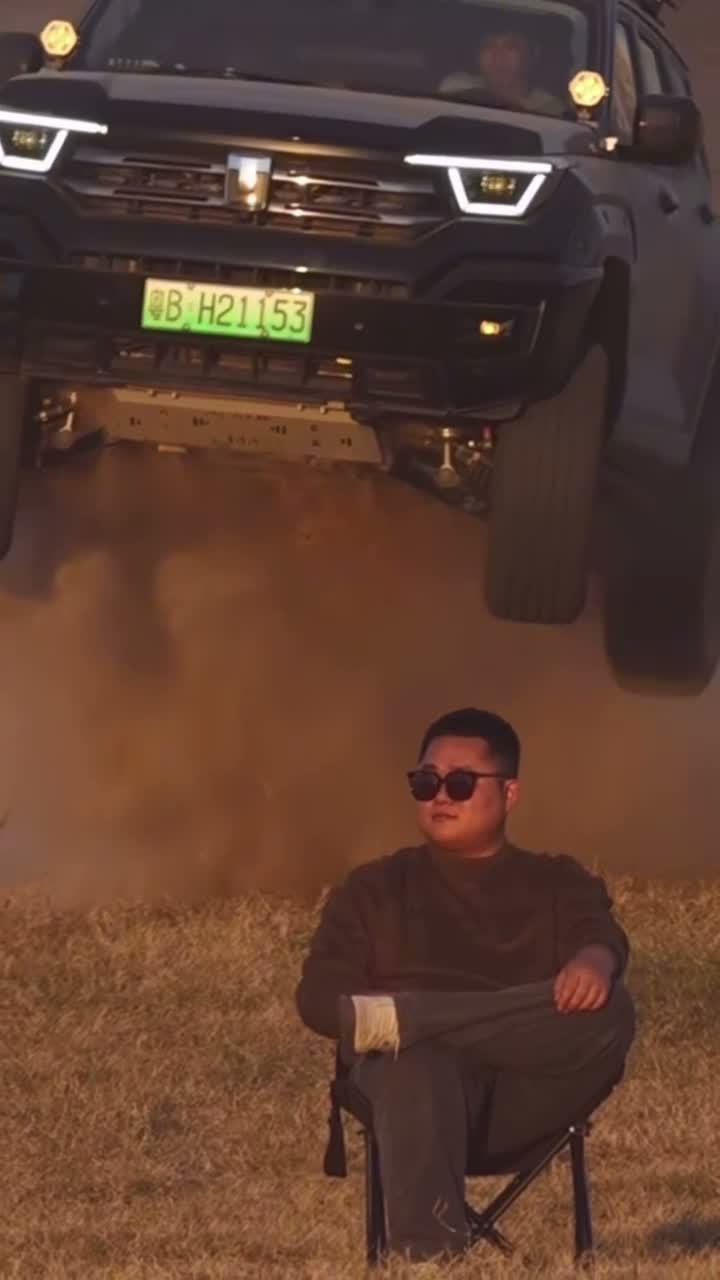
Trending Car Jump AI Video
Trending Car Jump AI Video
Upload Your Photo
For the best likeness: one person per photo, face clearly visible from the front, good light, nothing covering the face (phone, sunglasses, hand). Upload the original photo, not a screenshot.
Resolution
Higher resolution uses more credits per generation.
By uploading or generating, you confirm you own these photos or have the person's permission, and you won't impersonate real people or celebrities. Responsible use
Quick answer
To do the Trending Car Jump trend, upload 2 clear photos of the people you want in it, then press generate. imageat places the people from your photos into the trend's original video, and the video is ready to download when it finishes. One generation costs 178 imageat credits; no prompt writing or editing app is needed.
Put yourself in the pickup truck jump scene with two reference photos. The first supplies the seated character's identity and appearance, with black sunglasses added to match the source. The second supplies the replacement vehicle. The source video guides the jump, camera movement, setting and timing. The result follows the approximately 12-second vertical clip. The preview is the supplied reference video, not a generated result. Fast movement and occlusion can affect how closely the result matches your photos.
What is the Trending Car Jump AI Video?
The pickup truck jump trend shows a character sitting calmly in black sunglasses while a vehicle jumps above them. This template replaces the character and vehicle using two photos while the supplied video guides the motion and timing.
Trending Car Jump AI Video on TikTok
Popular posts of the trend, credited to their creators. The videos play from TikTok.
How to Do the Trending Car Jump Trend
Here is how to make your own video on imageat:
- 1Upload a clear photo of the person in the first slot.
- 2Upload a clear photo of the vehicle in the second slot.
- 3Choose 480p or 720p and generate.
- 4Preview and download your video.
Tips for Best Results
- Use one person per character photo, with a visible face and the outfit you want.
- Use a clear front or three-quarter view of the vehicle.
- Black sunglasses are added automatically to match the reference character.
Trending Car Jump AI Video at a Glance
What to upload
Your character — upload one clear person photo; Your vehicle — upload a clear vehicle photo.
What you get
An AI video that follows the trend's original take, ready to download and post on TikTok, Reels or Shorts.
What it costs
178 imageat credits per video at 720p. The price is shown before you generate, and a failed generation is refunded.
FAQs About Trending Car Jump AI Video
Create this trend with imageat
Go beyond the trending car jump ai video — generate any AI video from text or an image with Veo, Kling, Seedance and more.