Stones to Castle AI Trend: Turn Thrown Stones Into Your Castle
Upload one photo and become the calm builder who turns the stones thrown at them into a huge castle. Pick You (green valley, Gothic castle) or Pink Gown (misty hillside, singing builder). 15 seconds, 9:16, with sound.
Example results
Watch video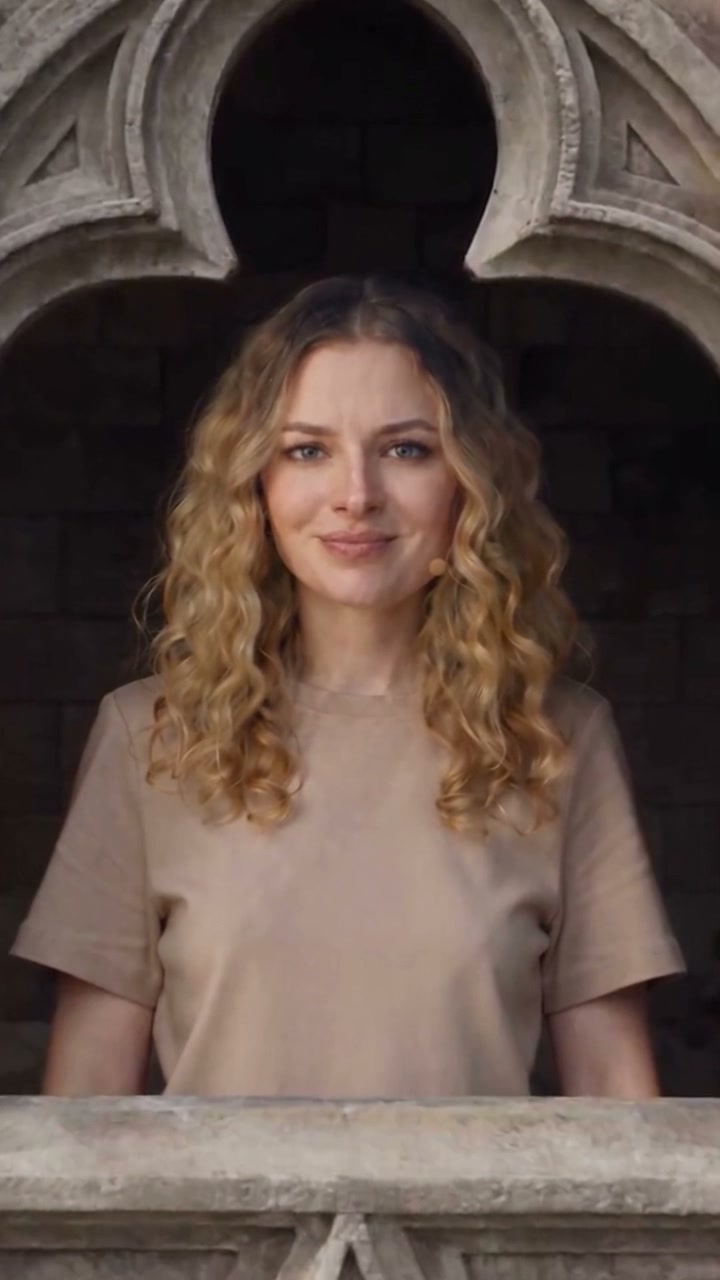
Stones to Castle AI Trend
Stones to Castle AI Trend
Upload Your Photo
Required. One person, pet or object, sharp and evenly lit; for a person, face clearly visible, full body or waist-up works best. The builder wears the clothes in your photo. Upload only someone who has agreed to it.
Version: You
Output
15 seconds · 9:16 vertical · 720p · with sound
By uploading or generating, you confirm you own these photos or have the person's permission, and you won't impersonate real people or celebrities. Responsible use
Quick answer
To do the Stones to Castle AI Trend, upload one clear photo where your face is easy to see, then press generate. imageat places you into the trend's original video, and the video is ready to download when it finishes. One generation costs 140 imageat credits; no prompt writing or editing app is needed.
Stones to Castle is the short video where a crowd hurls stones at one person who stays calm, picks the stones up, stacks them into a wall and ends up standing on a castle while the crowd stares up with open mouths. This generator puts the one in your photo in that role, with no prompt to write. Pick a version before you generate. You follows a green mountain valley: the stones land around the builder, the wall grows into a Gothic castle as the camera tilts up, and the clip ends on a proud smile from a carved castle window. Pink Gown follows a misty hillside: the builder sings to the camera, kneels to gather the stones, lays them in a row and stacks them into a wall, then climbs the steps of a huge dark castle as the last stones fall short. In both versions the builder wears the clothes from your photo, and the crowd, the landscape, the camera and the timing come from the source clip.
What is the Stones to Castle AI Trend?
Stones to Castle AI Trend is a reference-driven AI video trend. Instead of inventing motion from a still photo, the generator follows a fixed source video and puts the people from your uploads into it. The source take supplies the motion, timing and camera work; your photos supply each person's face, hair, build and outfit.
How to Do the Stones to Castle AI Trend
Here is how to make your own video on imageat:
- 1Pick a version: You or Pink Gown.
- 2Upload one clear photo of the person, pet or object who builds the castle.
- 3Check the credits shown and generate.
- 4Download the 15-second MP4 and post it to TikTok, Reels or Shorts.
Two versions
You: a crowd of angry women throws stones in a green valley; the builder stands calm, picks one up, and the wall grows into a Gothic castle with spires, ending in a close-up at a castle window. Pink Gown: a crowd in black coats on a misty hillside; the builder sings, kneels to gather and lay the stones, the wall rises, and the builder climbs the steps of a dark castle.
What comes from your photo and from the clip
From your photo: the builder's face, hair, build and clothes, or the species and markings of a pet. From the clip: the crowd, the landscape, the castle, the light, the camera moves, the cuts and the timing. The crowd never takes your face or clothes.
Sound
Each version keeps the audio of its source clip on the same timeline. The video itself is rendered silent and the soundtrack is laid over it, so the cuts land where they do in the original. In Pink Gown the builder is asked to mouth along in the singing shots; the lip sync is drawn by the video model and can drift.
Length, format and price
Every video is 15 seconds, vertical 9:16, 720p. One generation costs 140 credits for either version, shown before you start. If the generation fails, the credits are refunded.
Limitations
Likeness is a target, not a guarantee: fast cuts, wide shots and the small figure at the top of the castle can soften the face for a moment, and shots can differ in small ways from the source. The video model declines photos of public figures, children and explicit images.
About the videos on this page
The sample output is a real 720p result of the You version, made from an AI-generated face of a fictional person. The two source clips are the reference footage of the versions, not personalized results. Stones to Castle is an independent template; imageat is not affiliated with the creators of the original clips or their music.
Tips for Best Results
- A full-body or waist-up photo lets the builder keep your whole outfit; a face-only photo means the rest of the outfit is invented to match.
- Use a sharp photo with even light and the face toward the camera, so the window close-up looks like you.
- One person per photo. Group shots and children are not supported.
- Pets and objects work too: they keep their own colors and shape and do the builder's actions their own way.
Stones to Castle AI Trend at a Glance
What to upload
Your photo — the castle builder.
What you get
An AI video (15 seconds · 9:16 vertical · 720p · with sound) that follows the trend's original take, ready to download and post on TikTok, Reels or Shorts.
What it costs
140 imageat credits per video. The price is shown before you generate, and a failed generation is refunded.
FAQs About Stones to Castle AI Trend
Create this trend with imageat
Go beyond the stones to castle ai trend — generate any AI video from text or an image with Veo, Kling, Seedance and more.