Unforgettable 24 Car Trend AI Video
Upload a selfie to do the 24 car trend: flick the 2 and 4 cards and reveal a sports car. Keep the Brooklyn street or add your own background.
Original motion reference — not a personalized result
Watch video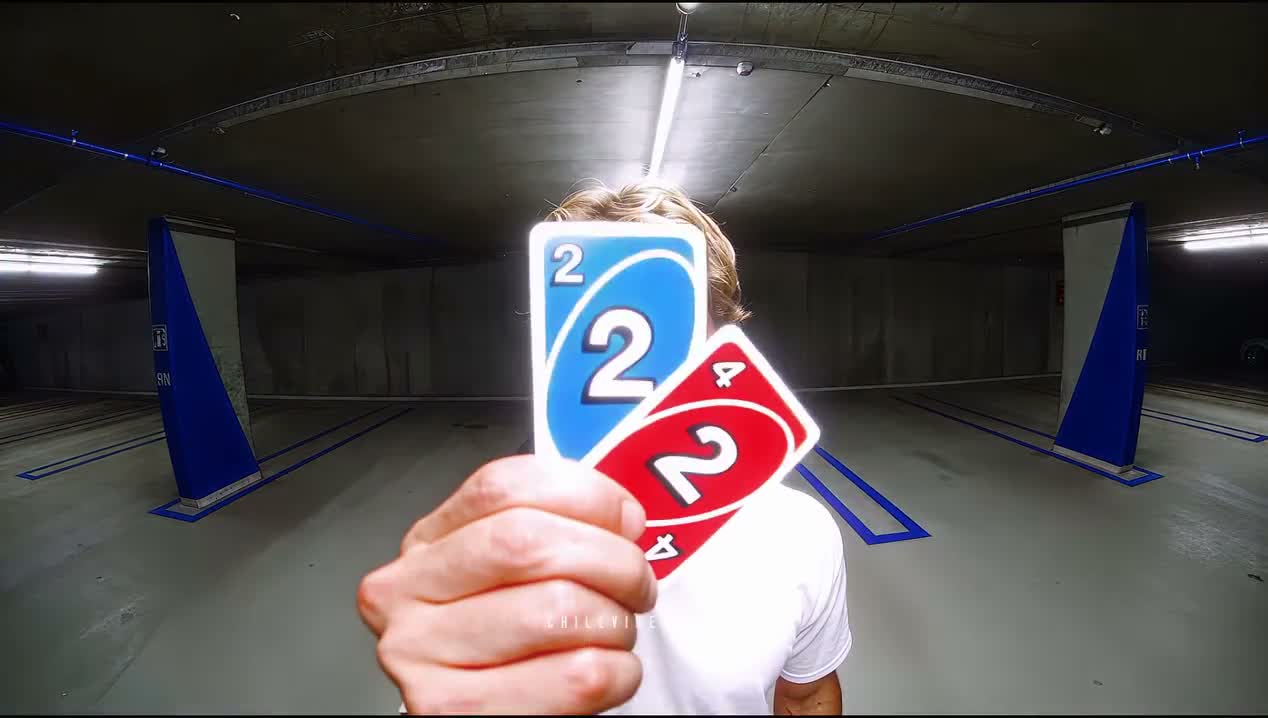
Unforgettable 24 Car Trend AI Video
Unforgettable 24 Car Trend AI Video
Upload Your Photo
A clear selfie is required. Your photo supplies your face, hair and visible outfit. Add a background photo if you want to replace the default Brooklyn street.
Resolution
About 14 seconds · landscape · fixed length. Higher resolution uses more credits per generation.
About 14 seconds · landscape · fixed length
By uploading or generating, you confirm you own these photos or have the person's permission, and you won't impersonate real people or celebrities. Responsible use
Quick answer
To do the Unforgettable 24 Car Trend, upload 1 to 2 clear photos of the people you want in it, then press generate. imageat places the people from your photos into the trend's original video, and the video is ready to download when it finishes. One generation costs 191 imageat credits; no prompt writing or editing app is needed.
You walk into the wide shot, wave, hold up a blue 2 and red 4 card directly to the camera, and flick them toward the lens. The frame clears to reveal a sleek sports car parked behind you with vibrant underglow. You give a quick smile, throw a thumbs-up, walk over, open the driver's side door, and climb inside as the camera lingers on the car. Your uploaded selfie supplies your face, hair, and visible clothes throughout the entire scene. The camera angle, the card flick, the sports car, the choreography, and the source clip's sound come directly from the template. If you want a different setting, you can add an optional background photo to replace the default Brooklyn location. The final result is a video (About 14 seconds · landscape · fixed length).
What is the Unforgettable 24 Car Trend AI Video?
The Unforgettable 24 car trend, also called the 24 card trend or 24 car edit, is an online car reveal format popularized on TikTok and Instagram Reels. Set to the track "Unforgettable" by French Montana featuring Swae Lee, creators step in front of the camera holding up Uno-style 2 and 4 cards to form the number 24. A quick flick of the cards or a hand swipe covers the lens, instantly cutting to a modified sports car parked right behind them. On imageat, you can create your own version of this card-flick car reveal using just a selfie and an optional custom location.
Unforgettable 24 Car Trend AI Video on TikTok
Popular posts of the trend, credited to their creators. The videos play from TikTok.
How to Do the Unforgettable 24 Car Trend
Here is how to make your own video on imageat:
- 1Upload a clear selfie showing your face and visible outfit.
- 2Optionally upload a background photo if you want to replace the default Brooklyn street setting.
- 3Select generate to create your car reveal video.
- 4Download your finished video and post it directly to TikTok, Reels, or YouTube Shorts.
Tips for Best Results
- Use a sharp, well-lit photo with the face visible.
- A waist-up or full-body image helps preserve your outfit.
- Choose an open background with room for the person and car.
Unforgettable 24 Car Trend AI Video at a Glance
What to upload
Your selfie (required); Scene 1 background (optional — defaults to Brooklyn).
What you get
An AI video (About 14 seconds · landscape · fixed length) that follows the trend's original take, ready to download and post on TikTok, Reels or Shorts.
What it costs
191 imageat credits per video at 720p. The price is shown before you generate, and a failed generation is refunded.
FAQs About Unforgettable 24 Car Trend AI Video
Create this trend with imageat
Go beyond the unforgettable 24 car trend ai video — generate any AI video from text or an image with Veo, Kling, Seedance and more.